

Version 2026.2
Inventory Holds
ShipStream now has a first-class system for marking inventory as unavailable — for QC inspection, damage, expiration, recalls, customs/bond, pending disposal, or any reason of your own — without removing it from on-hand totals. Held inventory is tracked separately from available inventory, excluded from allocation, picking, packing, and manifesting, and returned to availability the moment the hold is released. Held units stay on the books, so cycle counts, EDI feeds, and audit trails keep matching the warehouse floor.
You can place a hold on an entire location, or quarantine an entire lot and have the hold apply everywhere that lot is stored. Lot quarantine moves existing reservations to other eligible stock where possible; orders that can't be reallocated are automatically placed on hold so they don't ship from quarantined inventory. Packing and manifesting are blocked from scanner, admin, API, and bulk fulfill workflows when picked items belong to a held lot, catching late-arriving holds before they ship.
Hold Reasons
Manage hold reasons at System -> Operations -> Hold Reasons. ShipStream ships with built-in system reasons for common warehouse scenarios like QC inspection, damage, recalls, expiration, customs/bond hold, disposal, and vendor returns, each mapped to the appropriate EDI 846 quantity qualifier. Under each system reason you can define your own child reasons, scope them to specific merchants, and control whether scanner relocation is allowed from inventory held for that reason.
Where to Place and Manage Holds
A new Catalog -> Inventory Holds grid gives a centralized view of every active and released hold, filterable by warehouse, merchant, SKU, lot, reason, and status, with mass-release and CSV/Excel export. The Location and Lot view pages each gain hold/release actions, a Holds audit tab, and a Qty Held column on the existing inventory breakdowns.
Through the API, Lot quarantines can optionally include related Lots from kitting and de-kitting, so a recall can follow BOM lineage across kits and components. The Quarantine Lot action on the Lot view always quarantines only the selected Lot, and holds placed on related Lots are released individually.
Client Portal and Scanner
Merchants get a read-only Stock -> Inventory Holds grid showing only their inventory, with admin user names hidden. The Lot view gains a Holds tab, and Qty Held appears on the Location, Lot, and Movement Log grids. Merchants can't place or release holds from the portal — that remains an admin function.
In the scanner, relocation from a held location is blocked when the hold reason disallows it, and warned with pass-through when relocation is allowed. Putaway and cycle count display the hold reason and held quantity inline so operators always know what they're touching.
Automatic Holds for Expiring Inventory
Expired lots are now placed on hold automatically the moment they expire — both through the daily expiration check and when a Delivery, putaway, or admin edit changes a lot's expiration status — so expired stock can never be allocated, picked, or shipped. When an operator extends a lot's expiration date back into the future, the automatic hold is released and the quantity returns to available inventory.
You can also configure a near-expiry window so lots are held ahead of time. Under System -> Configuration -> Warehouse -> Stock -> Holds:
- Automatic Expired Inventory Hold (default: Yes) disables the auto-hold per merchant.
- Near-Expiry Hold Days Before (default: 0) — when set to a value greater than zero, lots expiring within that many days are auto-held with the Near Expiry reason.
Expired takes precedence over other hold reasons — if a lot is already held for Damaged or Recalled and then expires, ShipStream replaces that hold with Expired while keeping the inventory continuously held. If an operator manually releases an Expired hold (for example, to use the stock in a work order), ShipStream records the manual override and won't re-place the hold automatically.
EDI 943/944 for Inbound Deliveries (SPS Commerce)
Clients can now send ASNs to your warehouse over EDI without anyone manually creating a Delivery, and ShipStream automatically confirms the actual received quantities back to them once receiving completes. Inbound EDI 943 (Warehouse Stock Transfer Shipment Advice) creates Deliveries on receipt, and outbound EDI 944 (Warehouse Stock Transfer Receipt Advice) closes the loop with what was actually received.
SPS Commerce subscribers get this as the first integration to support the new flow, completing a 3PL EDI footprint that previously stopped at the outbound shipping side (855 / 856 / 945 / 946) and the 947 Inventory Adjustment Advice introduced in 2026.1.
Real-Time Inventory Adjustment Advice
Sales channels driven off ShipStream's 947 EDI feed can now see inventory changes within seconds instead of waiting up to an hour, closing the overselling window the previous hourly cadence could leave open after a large allocation or restock. The existing No / Yes (Hourly) option becomes No / Hourly / Real-Time — under Real-Time, ShipStream emits a 947 immediately whenever inventory is adjusted, including downstream virtual-inventory adjustments.
Hourly remains available for partners who prefer the original cadence and want only physical inventory changes.
Packing Stations
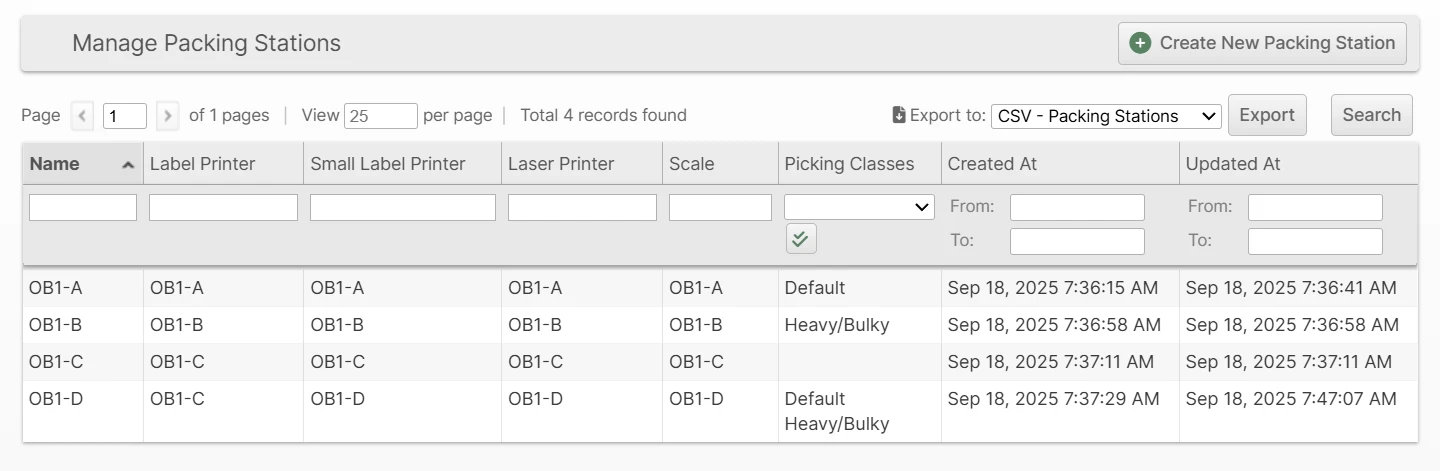
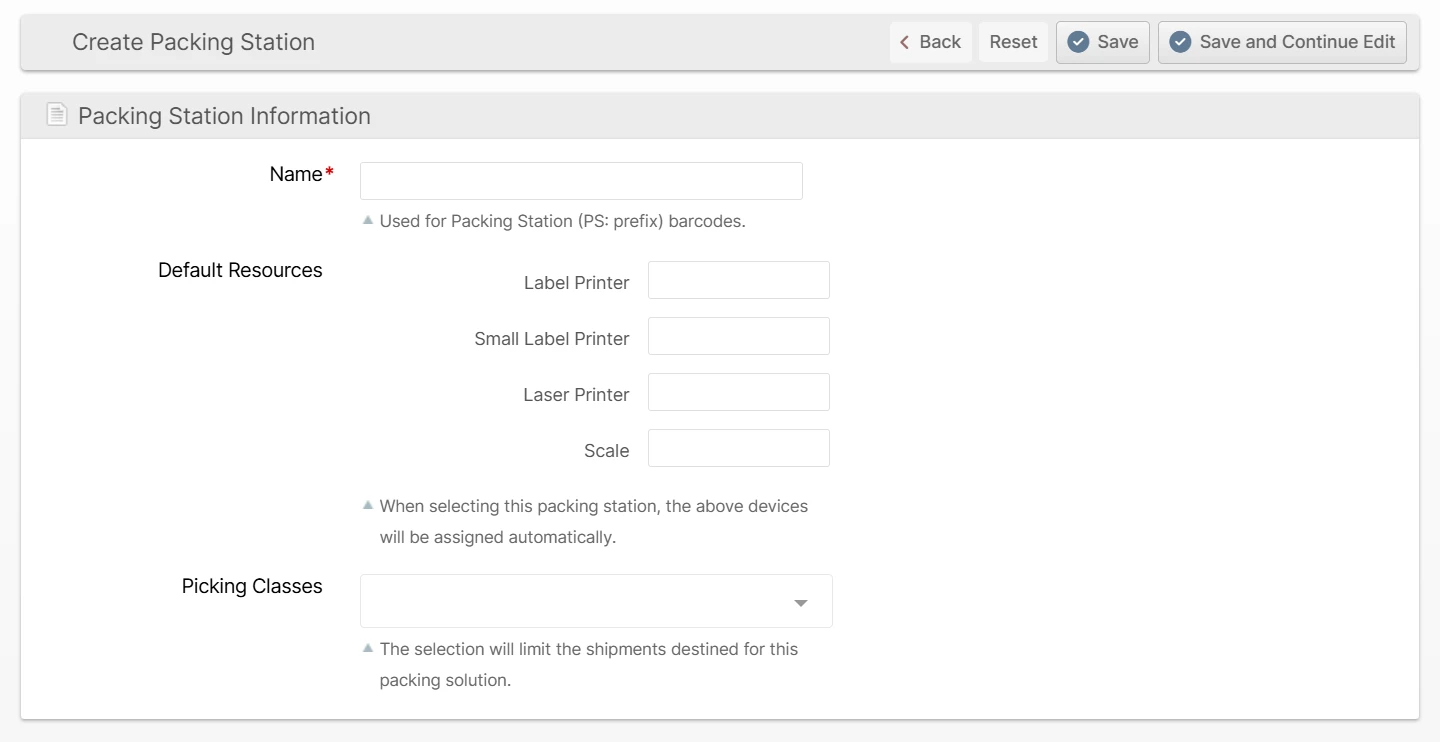
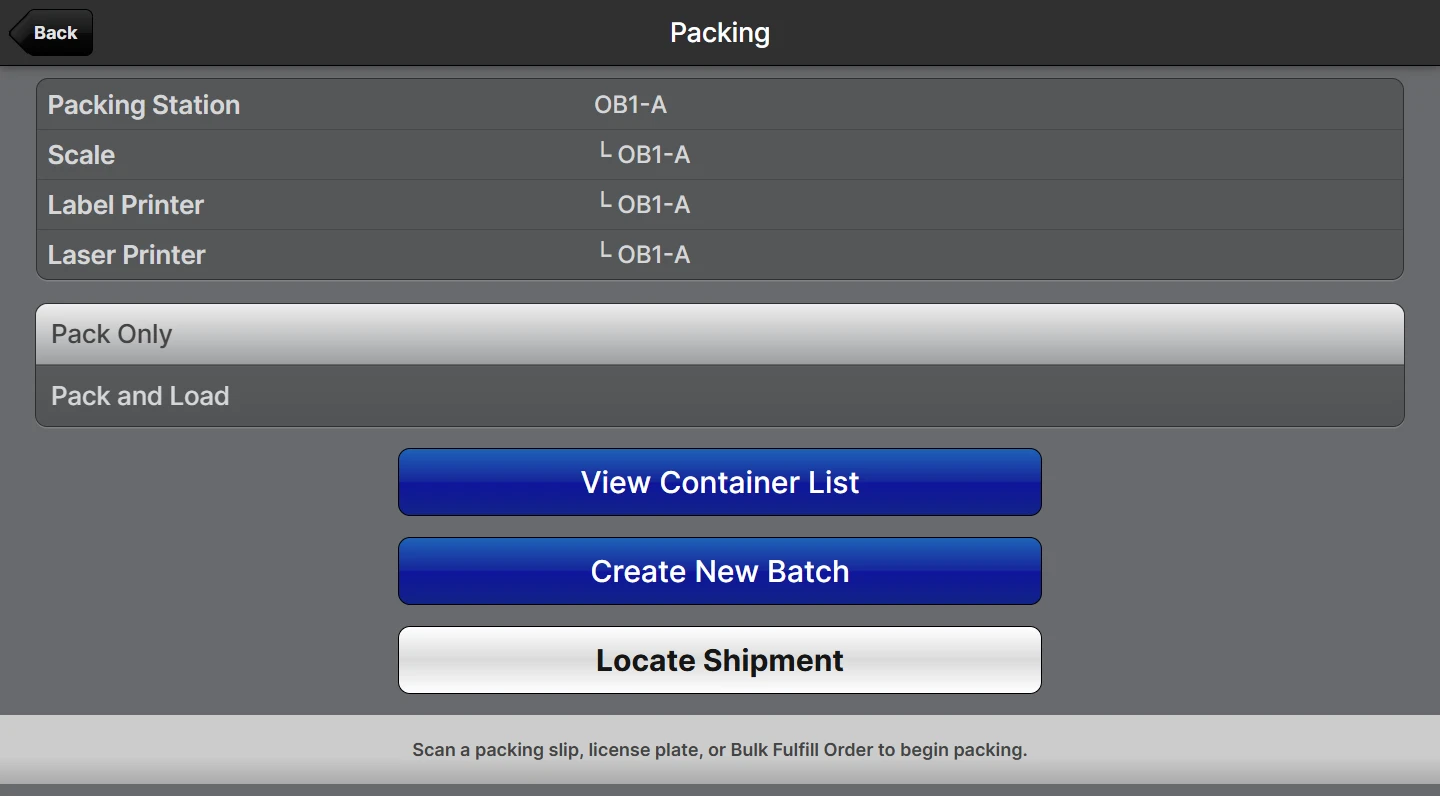
Packers can skip the per-device printer-and-scale setup at the start of a shift — scanning a Packing Station barcode (PS:) pulls in the station's pre-configured devices in one step, and every pack completed there is tagged with the station for per-station throughput reporting. Stations also drive batching: a Batching Preset can be associated with one or more Packing Stations, and a station's supported Picking Classes determine which Batch Presets appear when creating a batch for a given Picking Class.
A Packing Station has a name, barcode, default printers and scales, and a list of supported picking classes. Manage them at Operations -> Warehouse -> Packing Stations. The Shipments grid in the UI replaces the Label Print Target column with Packing Station (exports retain both columns for traceability).
Scan to Complete Pick Route
For batch picking, the round-trip from the last pick to the packing area was previously invisible — telemetry stopped at the last pick scan, so a picker hustling back and a picker taking a detour looked identical in performance metrics. With Require Scan to Complete Pick Route enabled, pickers must scan a Packing Station or Drop Location barcode to close out the route, capturing both the drop time and the drop location on the batch record.
Both the new Packing Station (PS:) barcode introduced in this release (see Packing Stations above) and a new Drop Location (DL:<id>) barcode format are accepted. Drop Location is for warehouses that prefer dropping carts at a designated drop zone rather than at a packing station. The route's drop time and the matched station or drop location are persisted on the batch.
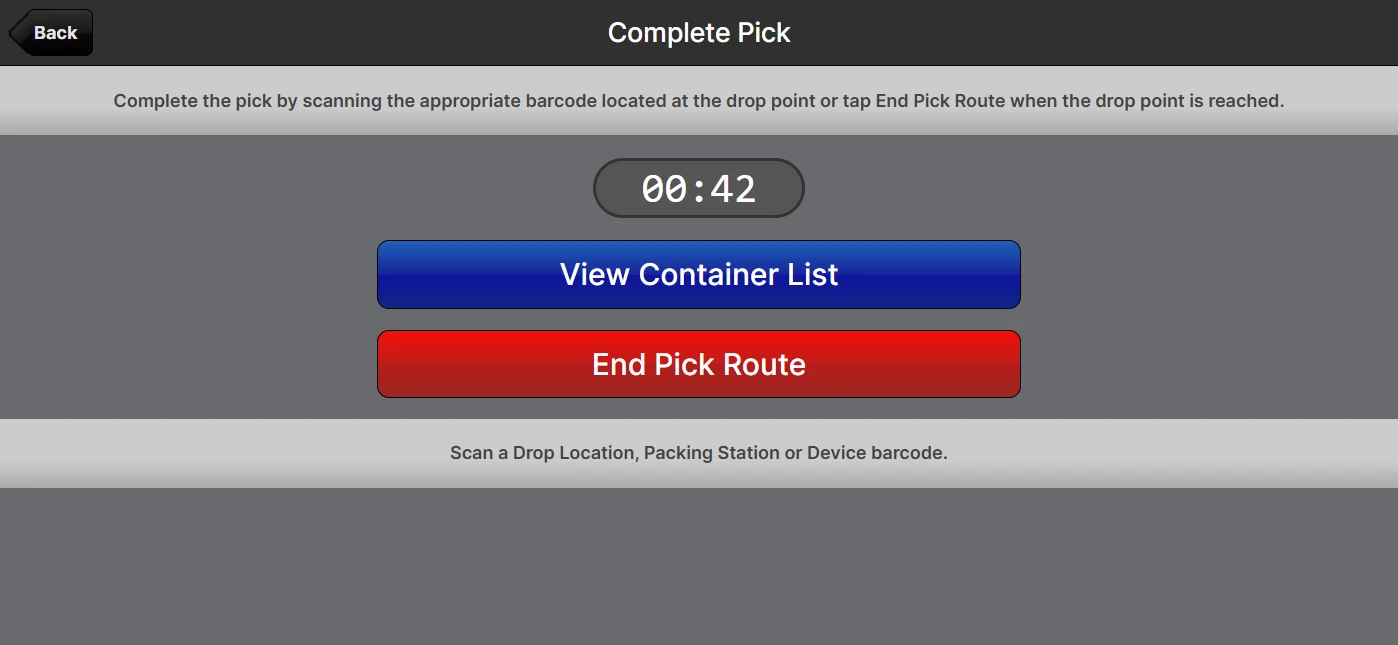
After the drop scan, the Pick Complete summary captures the round-trip metrics — Time To First Pick, Picks Per Minute, Time To Drop-Off, and Total Time — and the Picking Batches grid and Admin UI Batch page surface the new Drop Location and Dropped At fields.
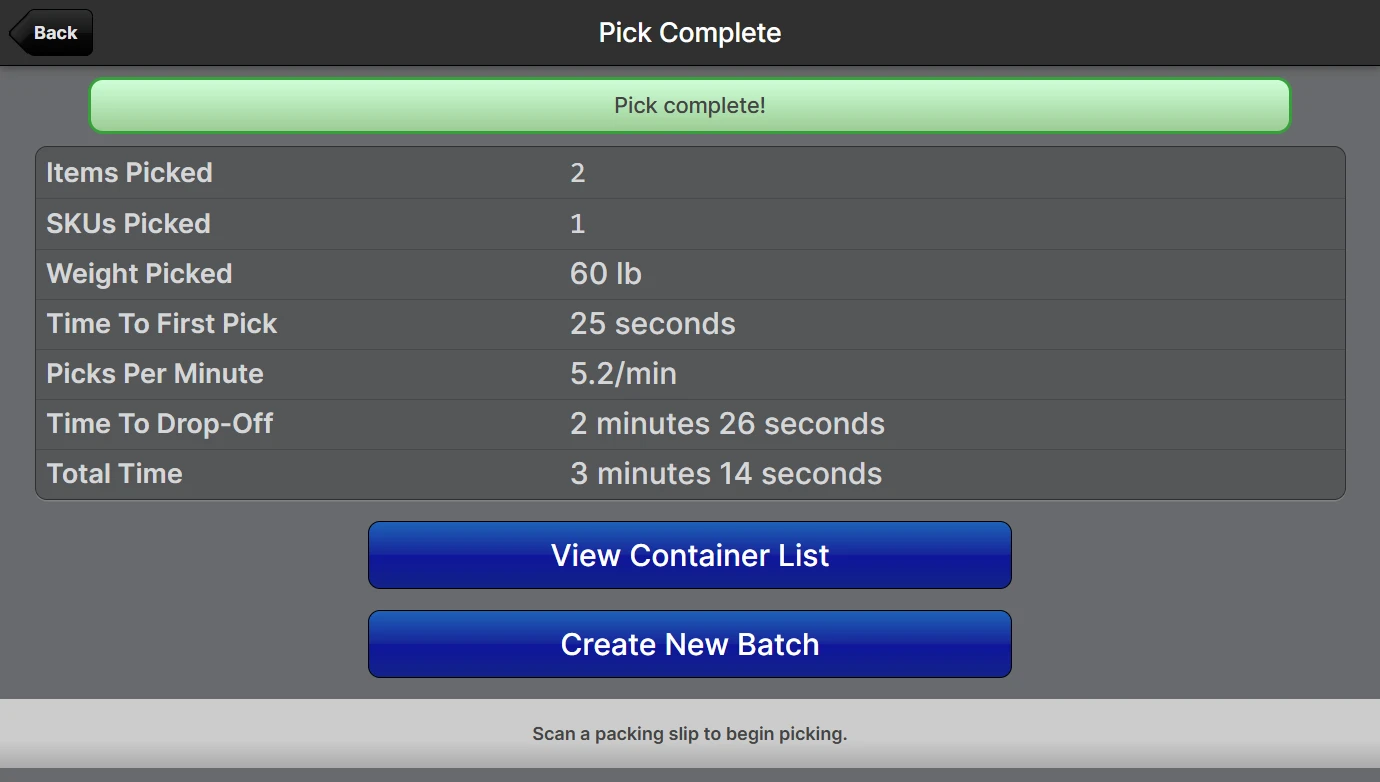
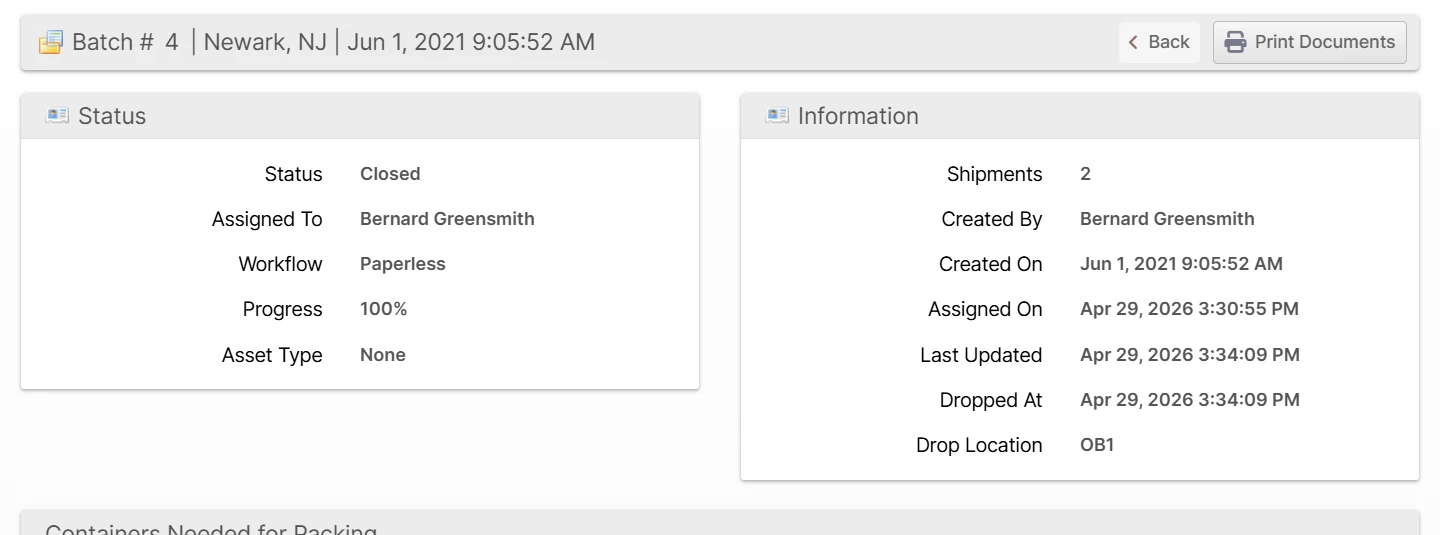
The setting lives at System -> Configuration -> Warehouse -> Scanner -> Picking -> Require Scan to Complete Pick Route (default: No).
Social Login for Admin Users
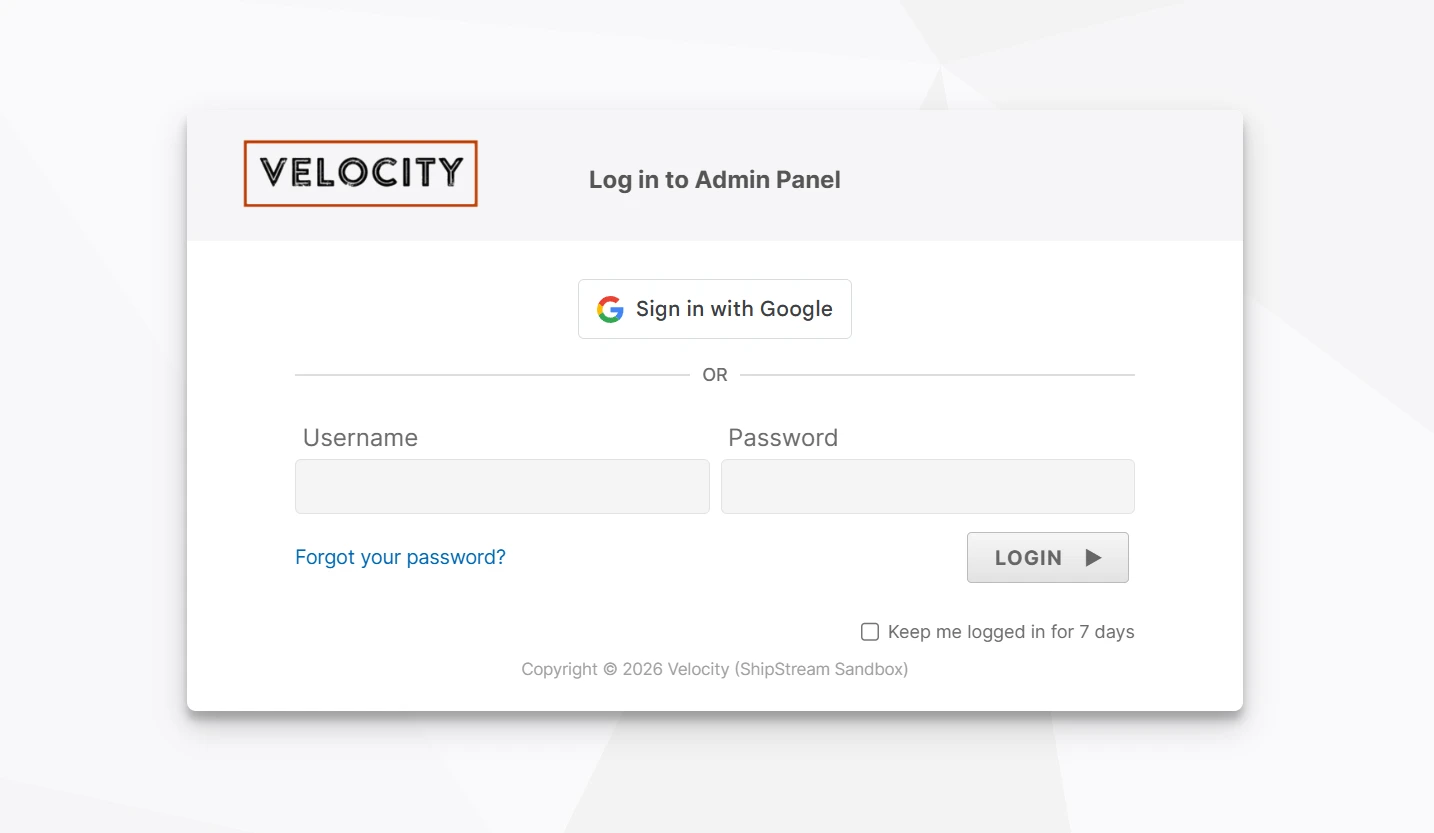
Admin users can now sign in to ShipStream using Google or Microsoft Entra ID (Azure AD). Combined with the required-domains list, this makes your identity provider the source of truth for ShipStream access — disabling a user in Google Workspace or Entra ID immediately blocks their ShipStream login as well, removing a step from your offboarding workflow.
Each provider is configured independently, so you can roll out one without affecting the other. Existing username/password and SSO flows remain available alongside it.
Configuration lives at System -> Configuration -> Advanced -> Social Login.
Audit Log for Product Photos
Product images now track who uploaded each image and when. The Product → Images tab gains sortable Created At and Created By columns, and images are organized into three sub-galleries:
- Product Image — the active marketing image (renamed from "Thumbnail")
- Measurement — the current Cubiscan reference image (renamed from "Base Image")
- Archive — historical audit images, sorted to the end of the list (renamed from "Exclude")
Within each sub-gallery, newest images appear first.
[GLOBAL] scope label has been dropped from image fields.Other Improvements
- Added a Warehouse Abbreviation field (up to 10 characters, recommended 6 or fewer) so warehouses can be identified compactly in dense grid views and the Select Visibility Scope dialog without dragging long names through every column.
- Updated the SPS Commerce EDI 846 Inventory Advice document to break out held inventory by reason — general holds use the QH (Quantity on Hold) qualifier, while damaged, expired, contaminated, and pending-disposal holds use 20 (Unusable Quantity).
- Added the inventory hold reasons available to a merchant to the Enumerations API. Integrations can fetch the list of holdable reason codes and labels visible to the merchant's website without a separate Merchant API call.
Bug Fixes
- Fixed the Client portal order history showing tracking-assignment events with the wrong timestamp. The history now uses the time the tracking number was actually assigned (matching the admin history tab) instead of the earlier package-creation time, preventing tracking events from sorting into the wrong day.
- Fixed EasyPost address-validation errors hiding the actual reason an address was rejected. The validation failure message now shows what EasyPost flagged, so you can see why the address didn't validate and correct it.
- Fixed the Bulk Fulfill Order create grid including suspended, inactive, and archived merchants. The grid now applies the same merchant-status filter that normal batch creation uses, so suspended merchants no longer appear as candidates.
- Fixed FedEx label generation failing for U.S. Virgin Islands shipments with a "Commodity Description is required" error. VI shipments now correctly include the customs commodity fields the FedEx API requires.
- Fixed the per-Picking-Class Asset Type Max Shipments override being ignored when a batch was created via a Batching Preset that grouped by Picking Class but did not whitelist any Picking Classes. The override is now respected — both tightening and relaxing the Asset Type default — once the batch's Picking Class is determined.
Global API Updates
- Added
qty_heldtoGET /v1/inventory/levels/totalandGET /v1/inventory/levels/warehouseresponses. - Added
GET /v1/inventory/holdsandGET /v1/inventory/holds/{id}to list and view holds across all merchants, with filters for merchant, warehouse, product, lot, reason, status, and date range. - Added
POST /v1/inventory/holds/locationandPOST /v1/inventory/holds/lotto place location-level holds and lot quarantines, withcascade_bomsupport on lot holds. - Added
POST /v1/inventory/holds/{id}/releaseandPOST /v1/inventory/holds/lot/{lot_id}/releaseto release a single hold or all active holds on a lot. - Added
GET /v1/inventory/hold-reasonsreturning the parent/child reason tree.
Merchant API Updates
- Added
qty_heldtoinventory.list,inventory.detailed,inventory.onhand, andinventory.lotsresponses, plusqty_held_by_reason(rolled up to system reason codes) andqty_held_by_user_reasonrollups ininventory.detailed, andis_on_holdper lot ininventory.lots. - Added
inventory.holdSearchto search active and released holds by SKU, warehouse, reason, status, lot, and date range.