

Global Integrations
In the context of the ShipStream WMS, a Global Integration is one that has access to data of all merchants in the system, rather than a single merchant as is the case with the Merchant API.
Some integrations are purpose-built and supported by ShipStream to integrate with a specific vendor. There are also Custom Integrations which provide you with the means to build your own integration using our Global API.
Supported Integrations
Please see the specific integration pages for more info:
Custom Integrations
The only purpose of a custom integration is to gain access to a Global API Access Token. This token can then be used to authenticate requests from your application to the Global API, giving your application access to all of the functionality it has to offer.
Examples:
- Automate actions with a traditional bespoke application
- Write one-off scripts to perform otherwise tedious tasks
- Combine systems using a no-code system like Zapier or a low-code system like n8n or Pipedream
- Provide an access token to a third-party which operates an already-developed application
Creating a Global API Access Token
- Navigate to System -> Integrations -> Global Integrations.
Click Add Custom Integration or one of your existing integrations.
It is recommended to create separate integrations for apps with different modes of access or especially apps managed by different teams.- Fill out the form, providing the Name, Descrioption and Notification Email.
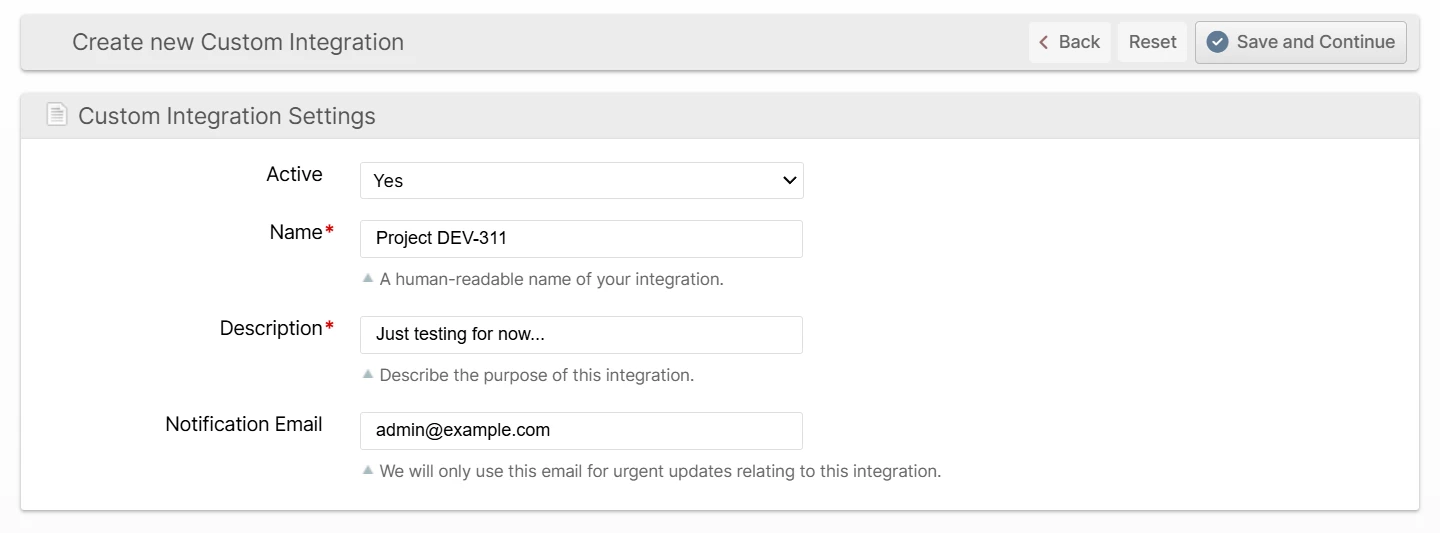
- Click Save and Continue.
- Provide a name for this specific token for future reference and choose an appropriate Expiration policy.
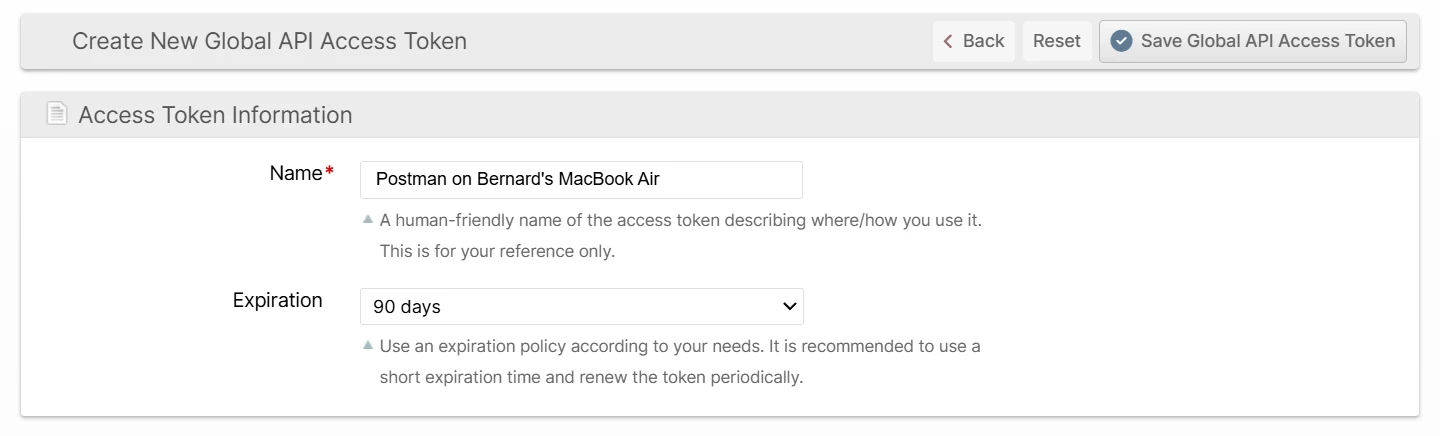
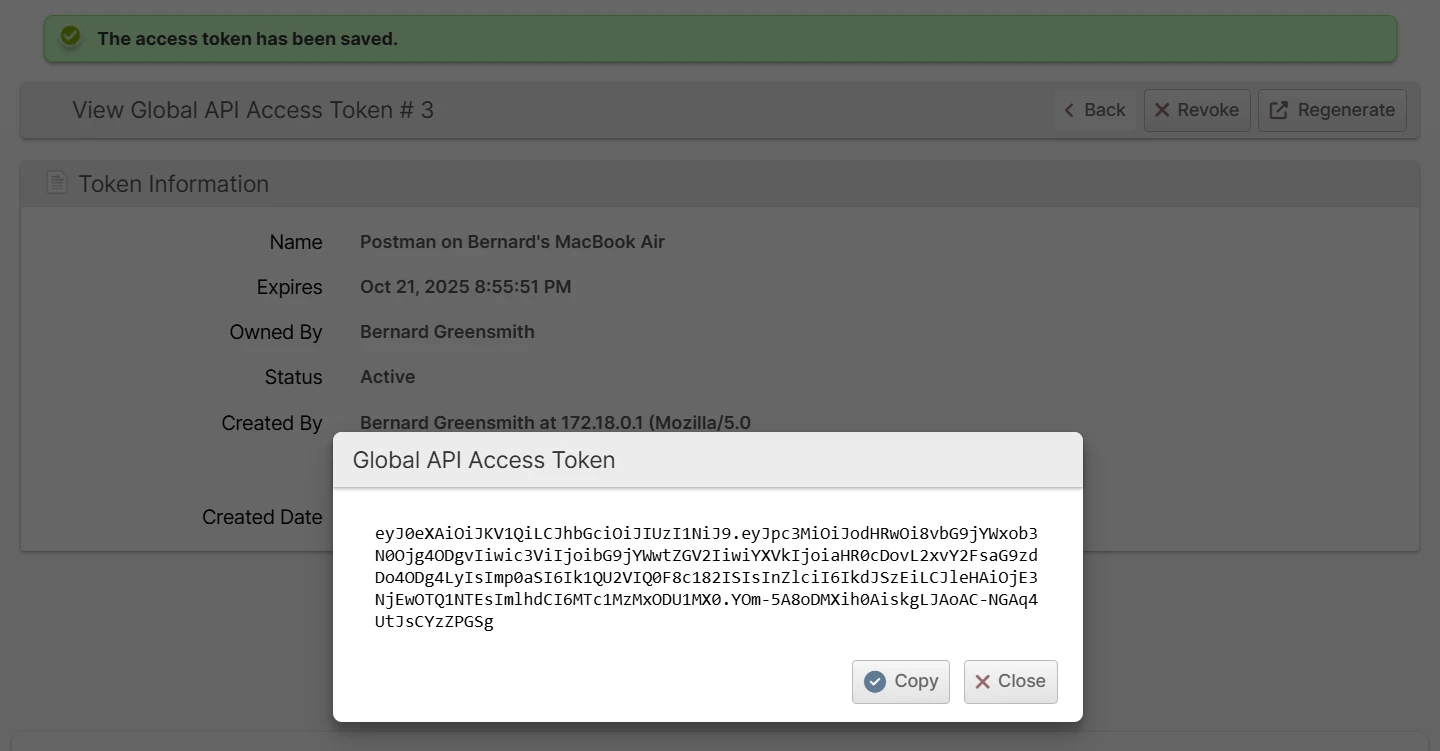
- Click Save Global API Access Token and then Copy to copy it to your clipboard.
Revoking Access
There are two ways to revoke access to an integration:
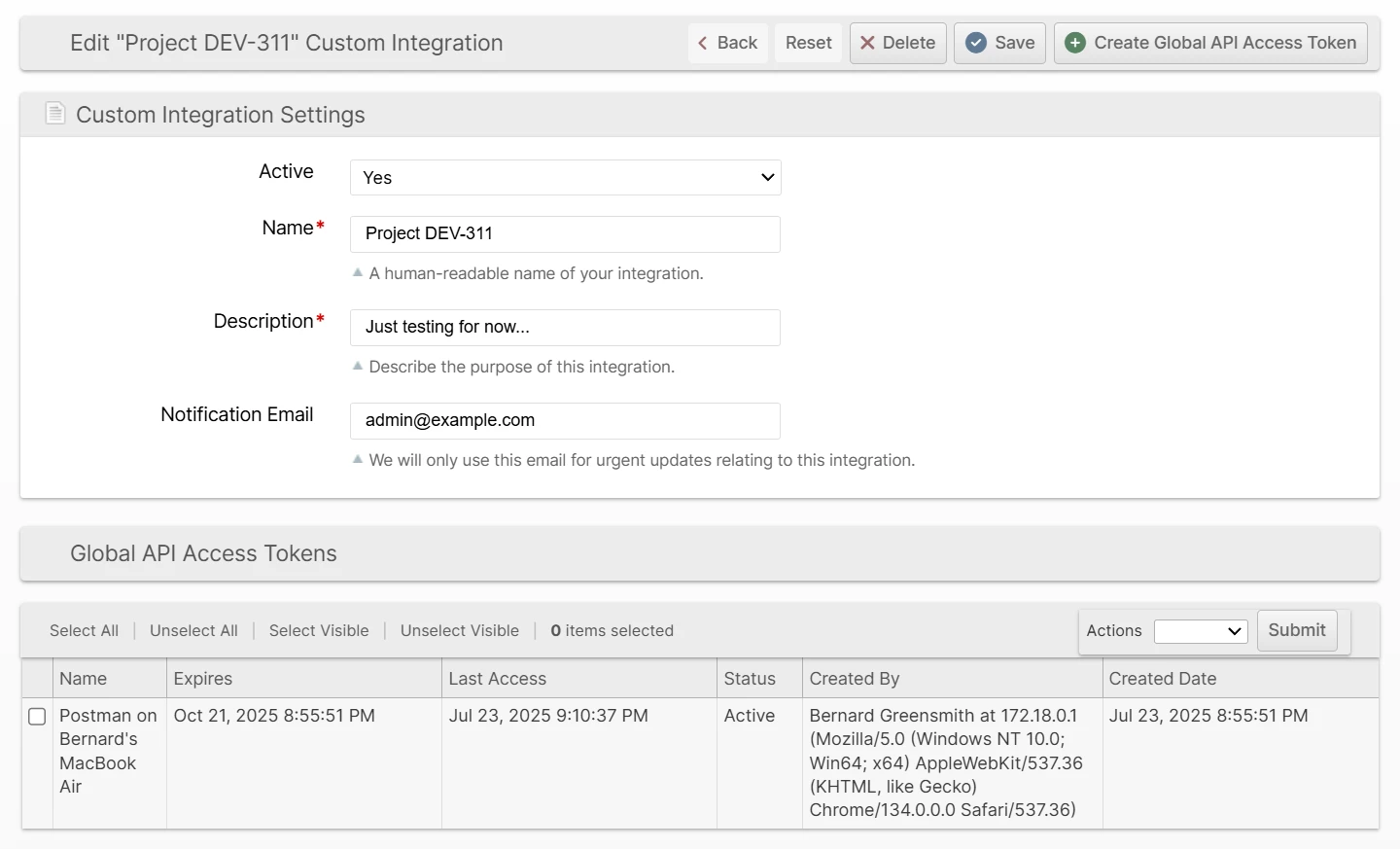
- Edit the Custom Integration and change the Active field to No. This can be reversed by changing it back to Yes.
- Revoking each token. This can be done from the Customer Integration page in one of two ways:
- with a mass action on the Access Tokens grid
- by clicking an Access Token on the grid and then clicking Revoke
Regenerating Tokens
- Navigate to System -> Integrations -> Global Integrations
- Click a Custom Integration
- Click an Access Token
- Click Regenerate
The old token will immediately be revoked and you will be presented with a new token.