FAQ & Reference
How-To: Brand-Specific Shipping Account
This guide is a step-by-step walkthrough to show how to configure ShipStream to use a specific Shipping Account for orders belonging to a specific Brand. Specifically, this example will show how to setup a FedEx Account that can only be used by ACME Inc's Chewy sales channel.
See the Shipping Accounts page for more general information on managing shipping accounts.
Create a brand new Shipping Account Group
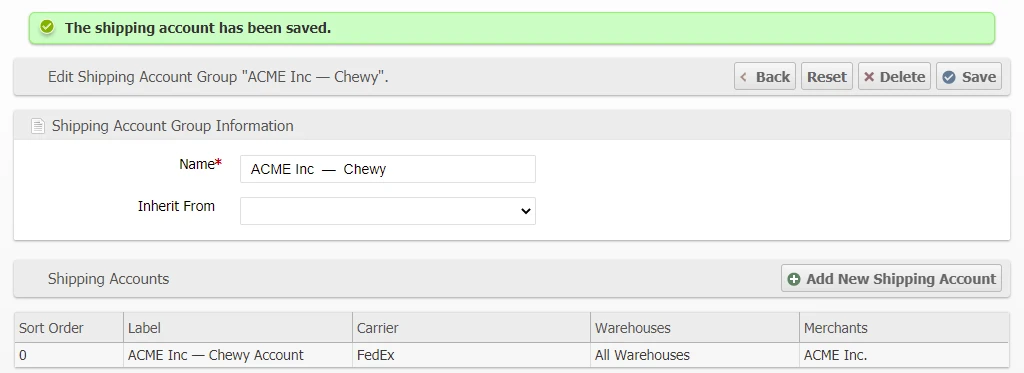
- Name the Shipping Account Group — "ACME Inc — Chewy"
- Don't let it inherit from another account — Only let it inherit if you want to allow it to use the Default Shipping Account Group as a fallback.
- Save

Add a new Shipping Account within the new Shipping Account Group
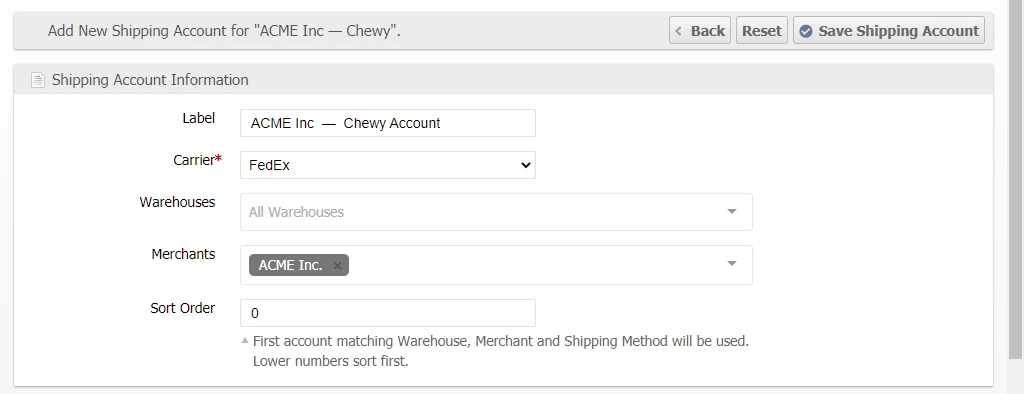
Fill in Account Information
- Add a label to name the Shipping Account — "ACME Inc — Chewy Account"
- Set the Carrier — "FedEx"
- Set a Specific Warehouse(s) or leave blank to allow for all warehouses — Leave blank
- Set a specific Merchant(s) or leave blank to allow all Merchants — Set to ACME Inc.
- Set Sort Order if needed — set to zero to place it first
Fill in Carrier Configuration
- Fill in the info as needed.
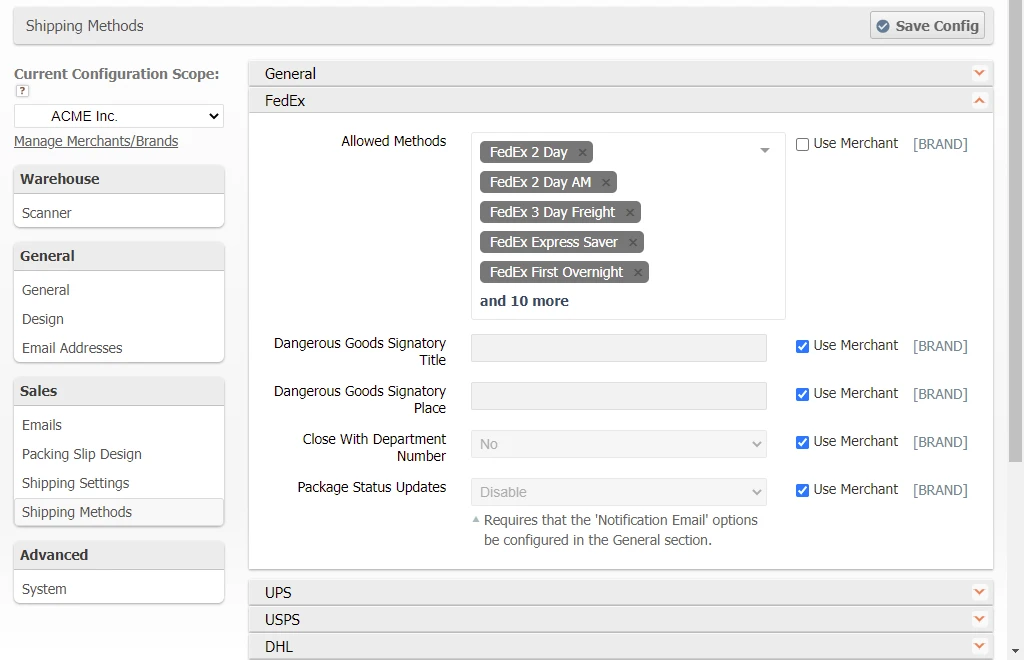
- Allowed Methods leave blank to allow all methods — FYI: Best practice is to leave this field blank to allow this Account to use all methods. It is better to limit the allowed methods at the Global, Merchant, and/or Brand scope configurations settings for the specific methods that can be used.
- Save
Configure the Brand's Settings
Set the Shipping Account Group
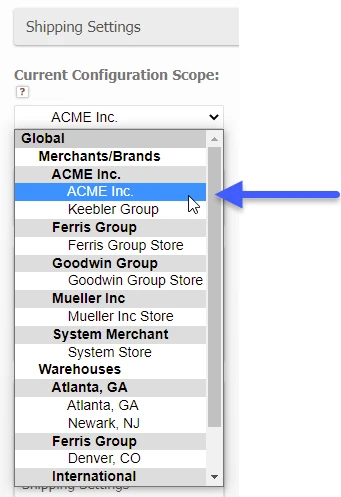
- Go to System > Configuration
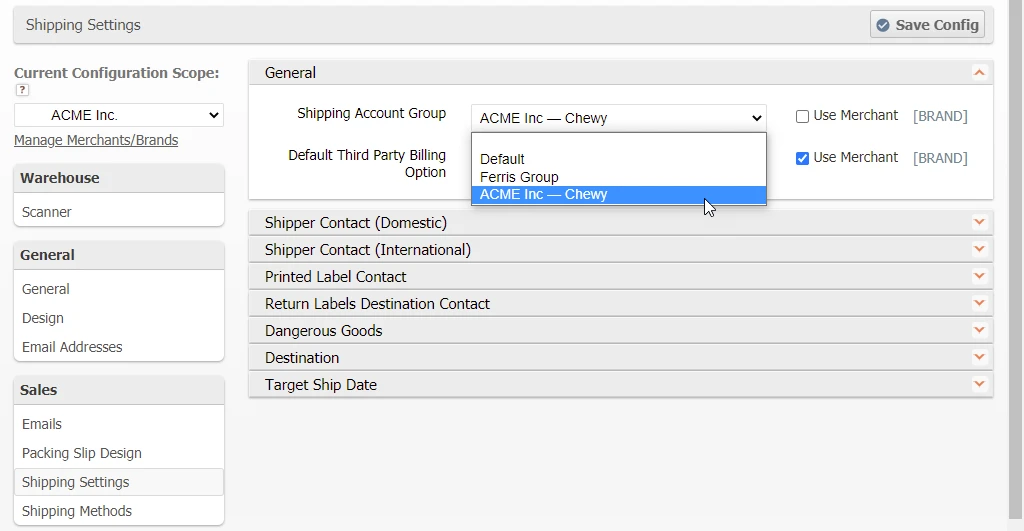
- Select the Brand scope that needs the specific Shipping Account — "ACME Inc — Chewy"
- Go to the Shipping group > Orders tab > General fieldset > Shipping Account Group field
- Uncheck the "Use Merchant" checkbox
- Set the field to use the newly created Shipping Account Group — "ACME Inc — Chewy"
- Save Config
Configure the Brand's Shipping Methods
- Go to Sales group > Shipping Methods tab
- Here turn off all Carriers that will not be used by this Brand
- On any Carriers that will be used configure the Allowed Methods that will be allowed for this Brand to use.
- Save Config