Custom Fields for Shipments
Custom Fields can be added to a Shipment as a versatile way to organize and control your shipment-level information. These are similar to Custom Field for Orders, except they exist at the Shipment-level. Users can use this field for sorting/filtering in the grids, exporting and reports, or manipulating with the API.
Saving Custom Field Values
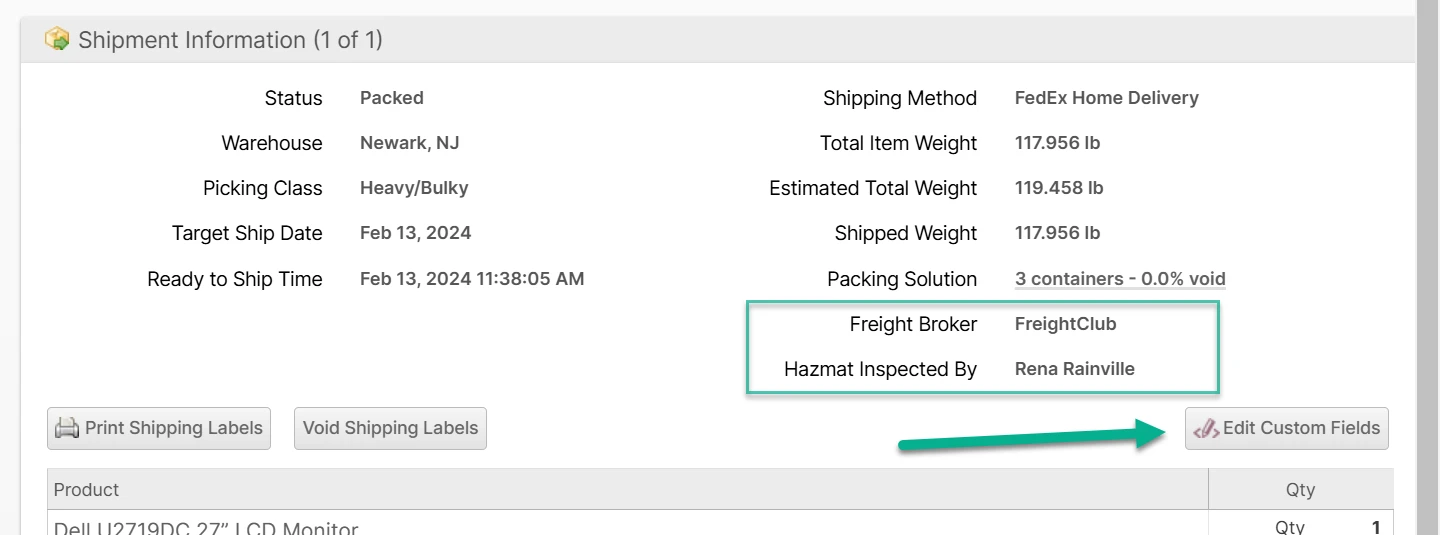
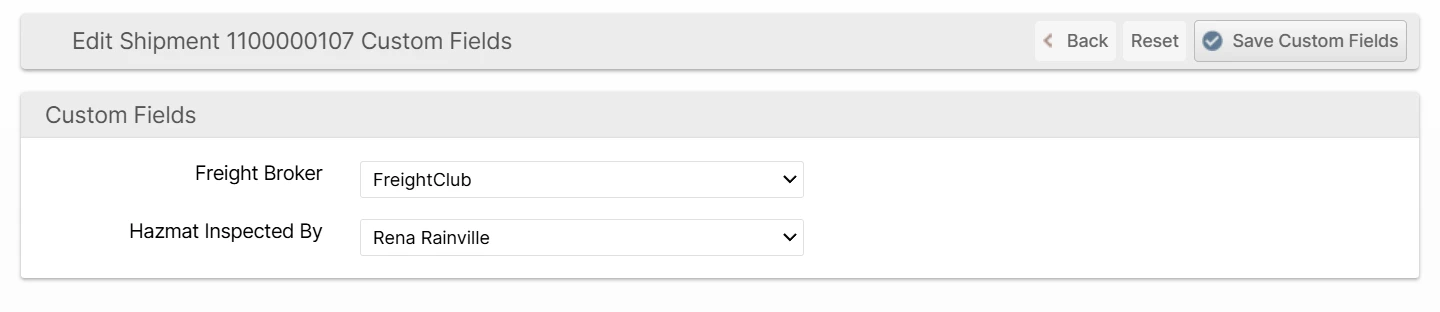
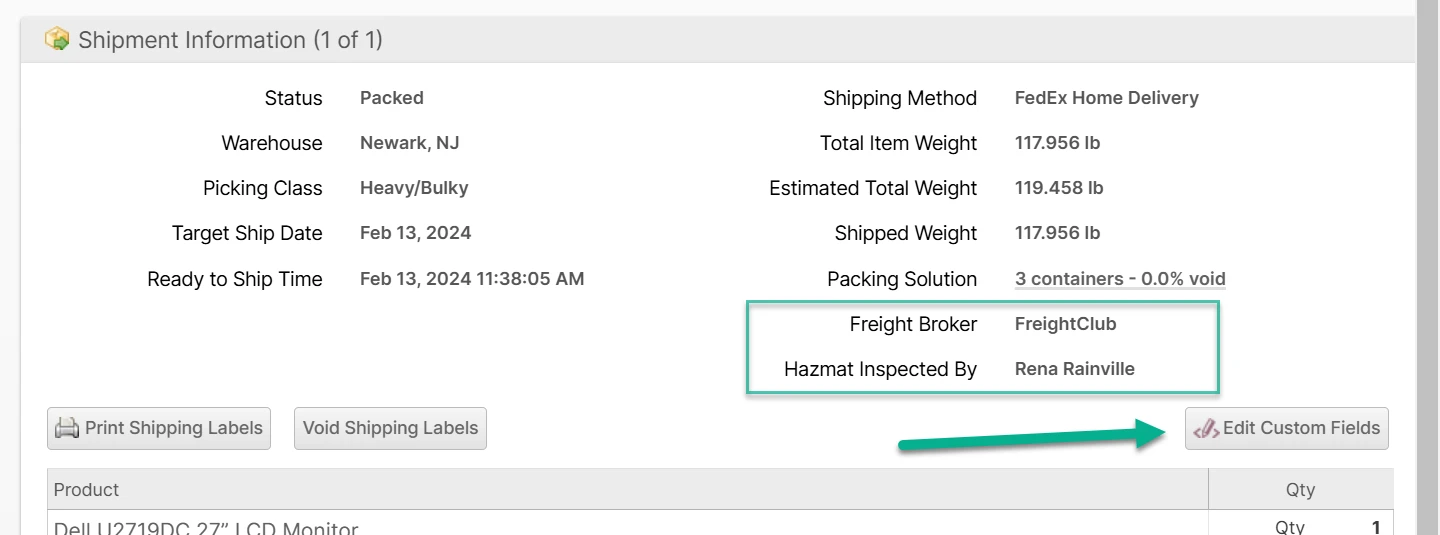
Click the Edit Custom Fields button in the Shipment Information section to open the form to edit the values. These can also be set by the shipment.update API method.
Here is an example of two custom fields added to allow users to save the Freight Broker and Hazmat Inspected By properties.
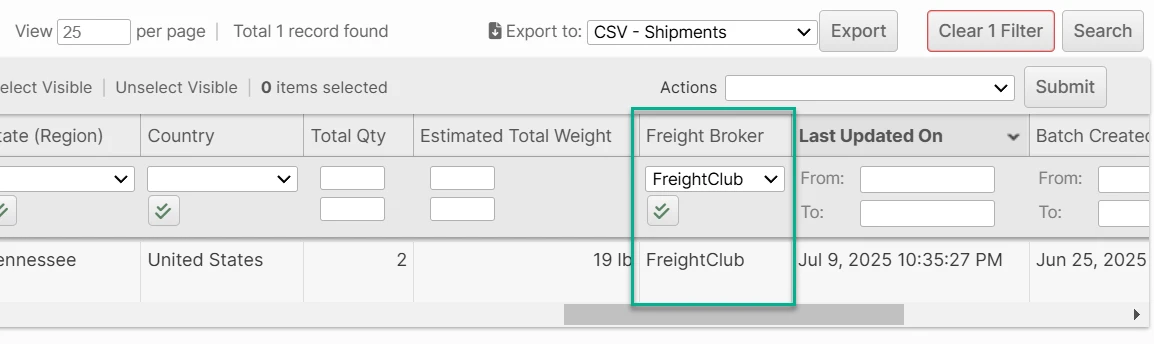
These fields will also be displayed on the Shipments grid if the Display in Admin/Client Grid option is set to Yes:
Create Order Custom Fields
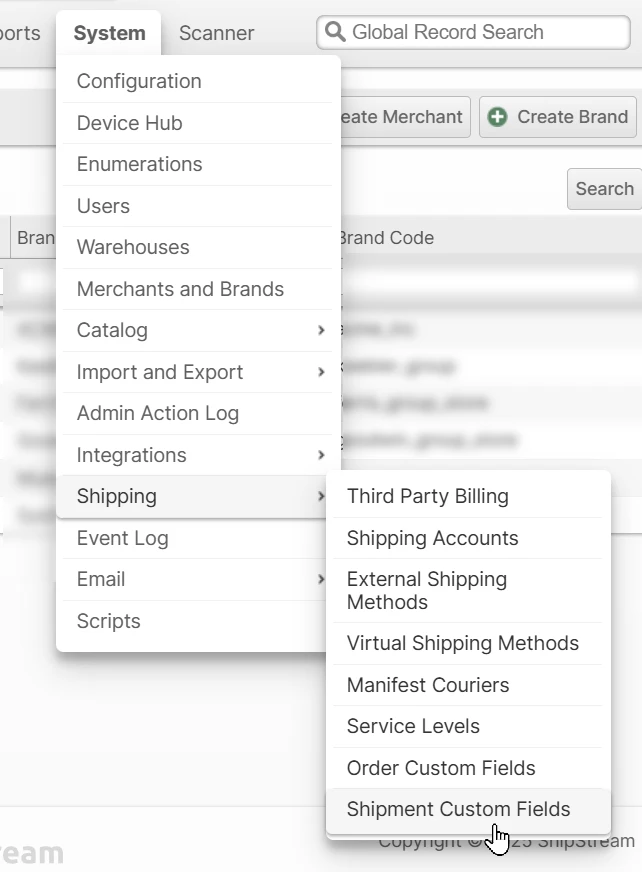
- Navigate to System -> Shipping -> Shipment Custom Fields.
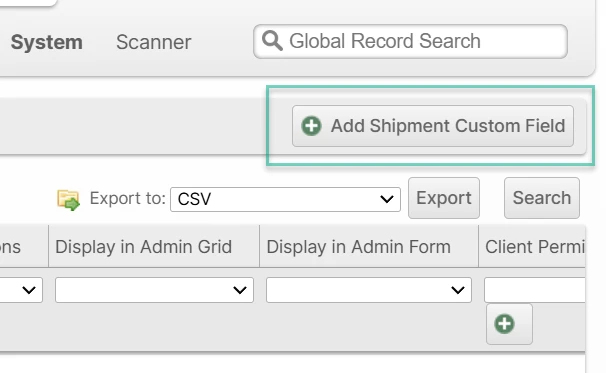
- Click Add Shipment Custom Field in the top right.
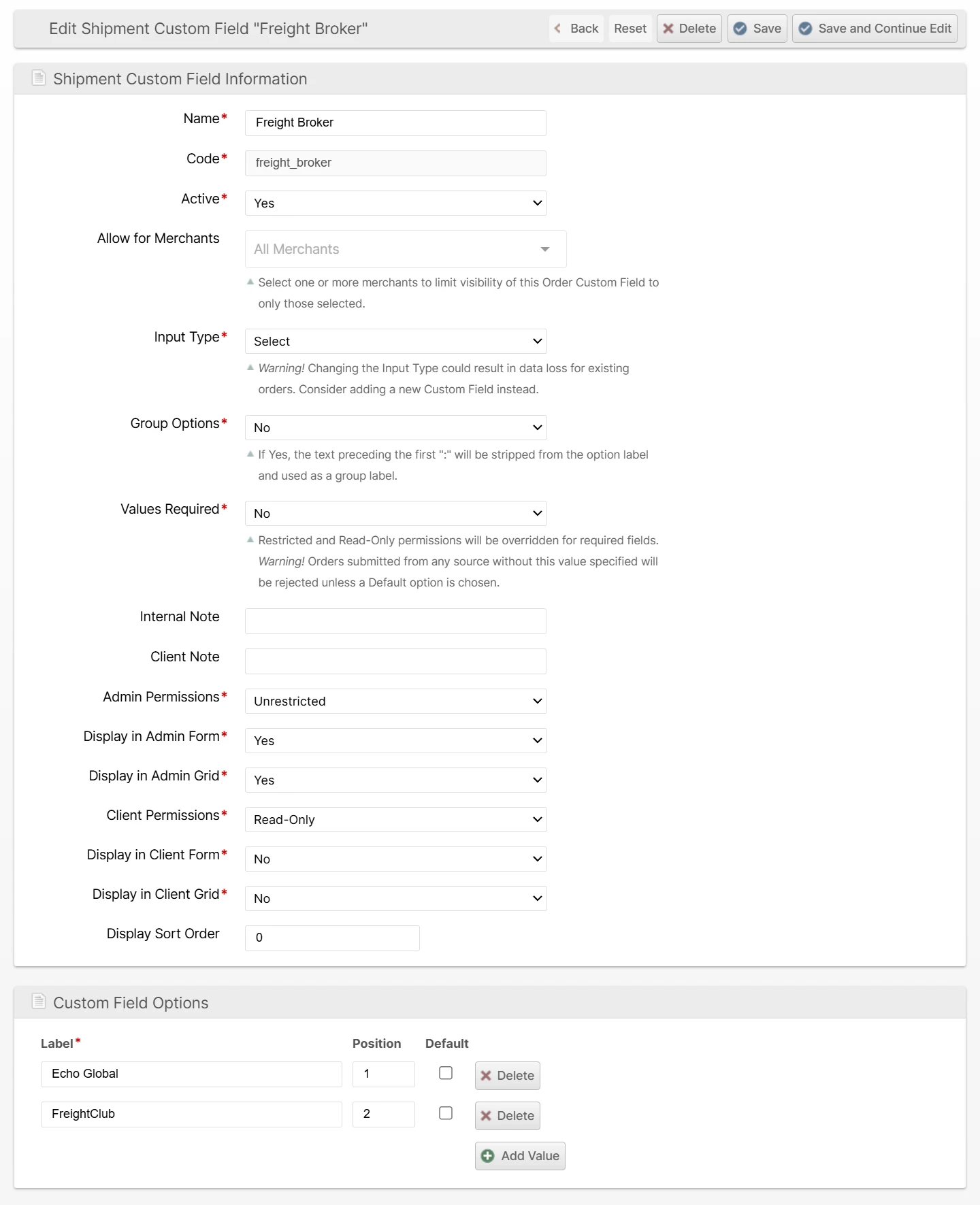
- Fill out the Shipment Custom Field Information form. An explanation of each field is located here.
- Click Save.
This field will now appear in the Shipment Information section when the values are not empty.
Shipment Custom Fields Form
Name
A short, descriptive display name.
Code
The internal code used for referencing with API requests.
Active
Set this value to Yes to immediately enable its use, or no to effectively disable it.
Allow for Merchants
Select one or more merchants to limit visibility of this Shipment Custom Field to only those selected.
Input Type
Select the input field type from any of these options: Text, Multiline Text, Number, Currency, Select, Multiselect, Yes/No (Boolean), Date, Admin User, Client User, Email, URL.
Group Options
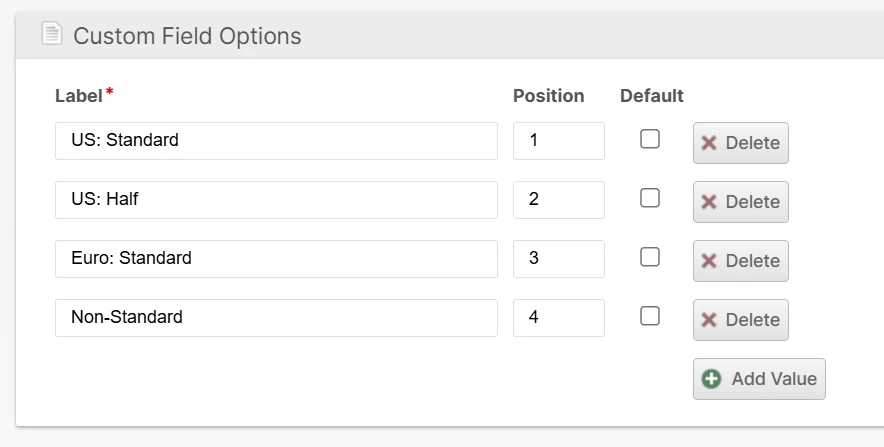
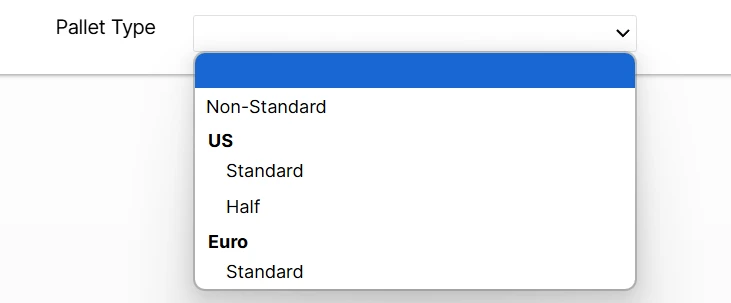
If you would like your options to be grouped together, choose Yes and specify your option labels with the group value, followed by a ":" followed by the unique value.
Values Required
Determine whether or not this field will be required when updating the custom field values.
Internal Note
A comment or hint that appears below the custom field on the form page, and is only visible to admin account users.
Client Note
A comment or hint that appears below the custom field on the form page, and is only visible to client account users.
Admin Permissions
Sets the allowed permissions for admin account users. Options are:
- Unrestricted - Field will be visible and editable for all admin users
- Restricted - Field is only editable if the Role Resource "Restricted Custom Fields" has the "Edit" permission checked for the admin user.
- Read-Only - Field is visible but can not be edited.
- Hidden - Field is not visible.
Display in Admin Form
Choose whether to show the field in the shipment "Edit Custom Fields" form for admin users.
Display in Admin Grid
Choose whether to show the custom field as a column in the shipment grid for admin users.
Client Permissions
Sets the allowed permissions for client account users. Options are:
- Unrestricted - Field will be visible and editable for all admin users
- Restricted - Field is only editable if the Role Resource "Restricted Custom Fields" has the "Edit" permission checked for the admin user.
- Read-Only - Field is visible but can not be edited.
- Hidden - Field is not visible.
Display in Client Form
Choose whether to show the field in the shipment "Edit Custom Field" form for client users.
Display in Client Grid
Choose whether to show the custom field as a column in the shipment grid for admin users.
Display Sort Order
Choose the order in which this custom field will appear in the form relative to the other custom fields. Lower numbers appear before higher numbers.
Enumerated Shipment Custom Field Options
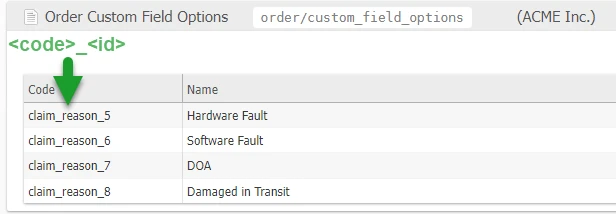
Custom fields using Select or Multiselect will store references to each value option using a unique id to allow option labels to be updated at any time without breaking the data references. These unique ids may be found in System > Enumerations > Order > Shipment Custom Field Options.
Each option has a "code" which is the Shipment Custom Field's "Code" value joined with the internal option ID so that options from different custom fields can be easily distinguished from one another.