

Supervising Replenishment Tasks
Most Replenishment Tasks run from claim to placement without help. This page covers the cases that need a supervisor: freeing a stuck claim, reassigning or canceling work, resolving stock left in an operator's cart, and recovering a Task whose records no longer agree.
Open a Task from Operations -> Replenishment Tasks. The header actions you see depend on your Role and the Task's state.
| Action | Needs |
|---|---|
| Cancel Task, Release Claim, Reassign | A Role that allows them |
| Return to Source, Void Custody | Resolve Custody Exceptions |
| Reconcile: Check Now, Reconcile and Recover | Recover Task Integrity |
Claims, Reassigning and Canceling
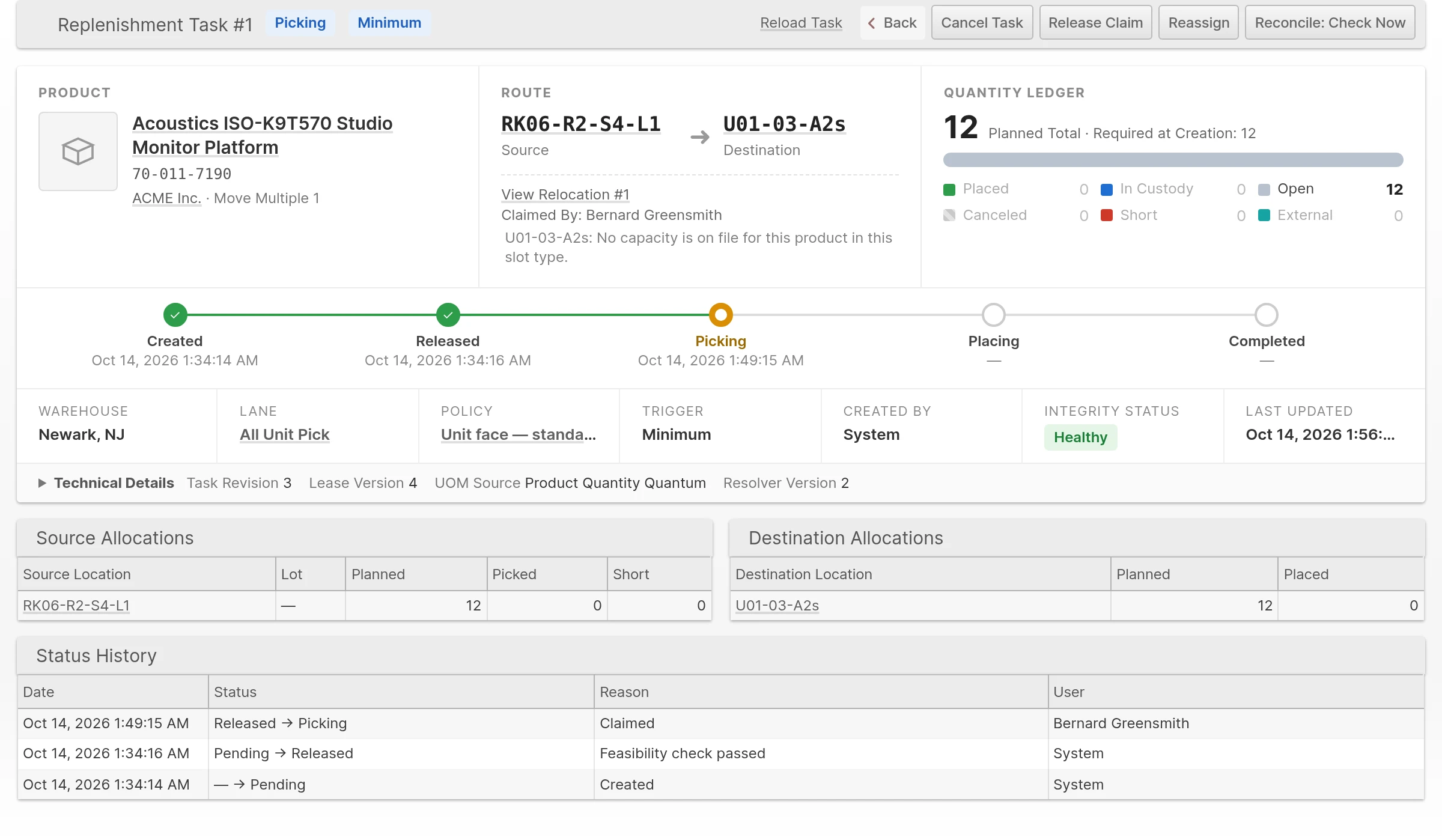
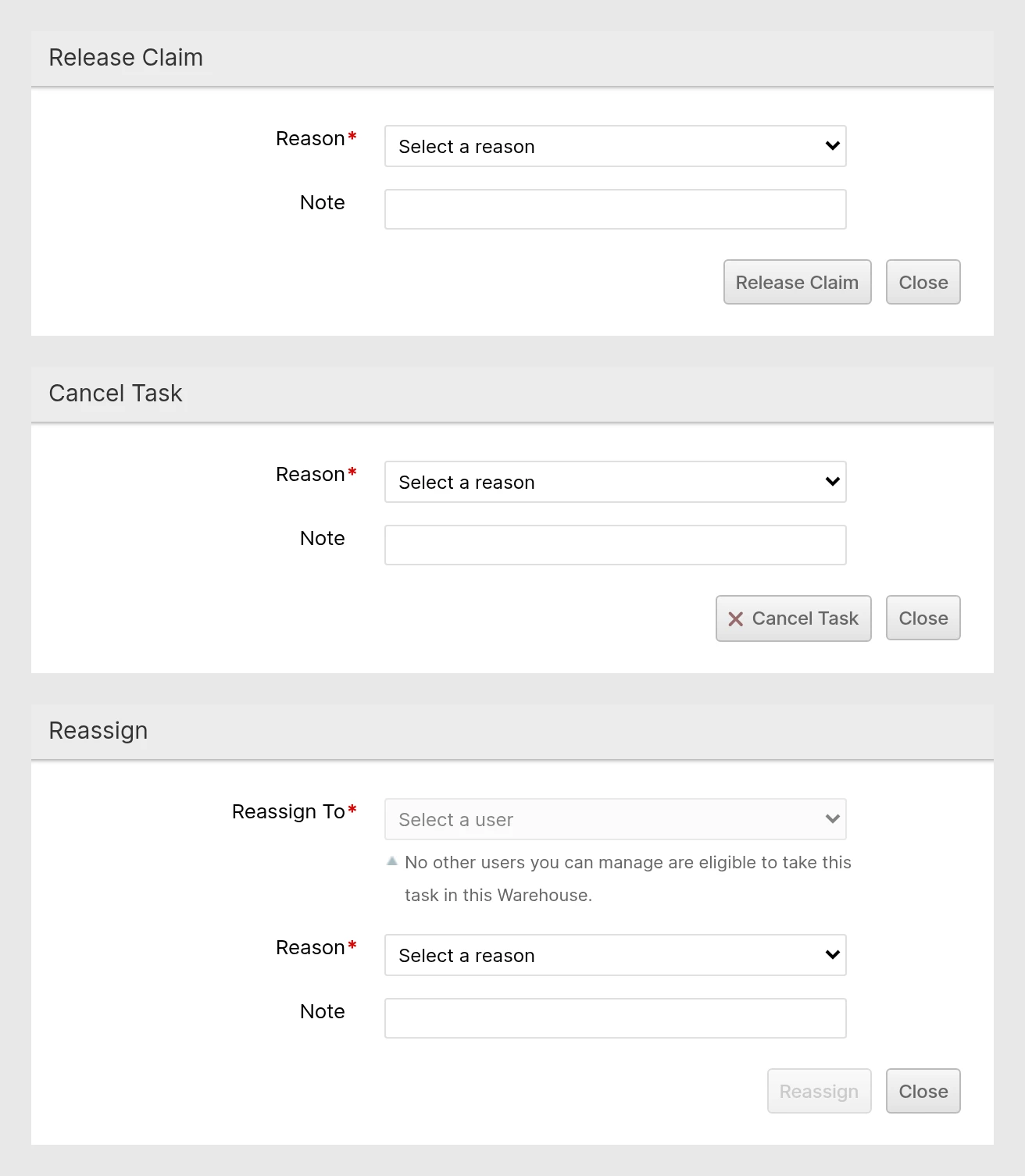
- Release Claim returns an empty claimed Task to the queue.
- Reassign moves the claim to another operator you manage who is eligible to take the Task in that Warehouse. The previous owner can no longer move stock for it.
- Cancel Task cancels only the unpicked quantity. Stock already in a cart is never canceled this way.
Each action asks for a reason. Other also requires a Note.
If a claim cannot be released because the operator's cart still holds goods, resolve the custody first (below). A Task that is Blocked needs a Note to cancel, and only an unclaimed Blocked Task with nothing in custody can be canceled.
Forms stay usable while the operator's claim renews automatically. If the Task, its quantities or its owner actually change while a form is open, you must refresh before the action can proceed. Click Reload Task to review the current evidence.
The Task view shows a note when a destination or return Location has no calculated capacity for the Product. This is advisory: placement and return still check the other Location restrictions.
Custody Exceptions
When an operator cancels after picking, the stock stays in their cart and the Task becomes an Exception. The operator can place it from the Scanner. If no destination is usable, or the stock is damaged, a supervisor resolves it. The Exception becomes Exception Overdue after four hours.
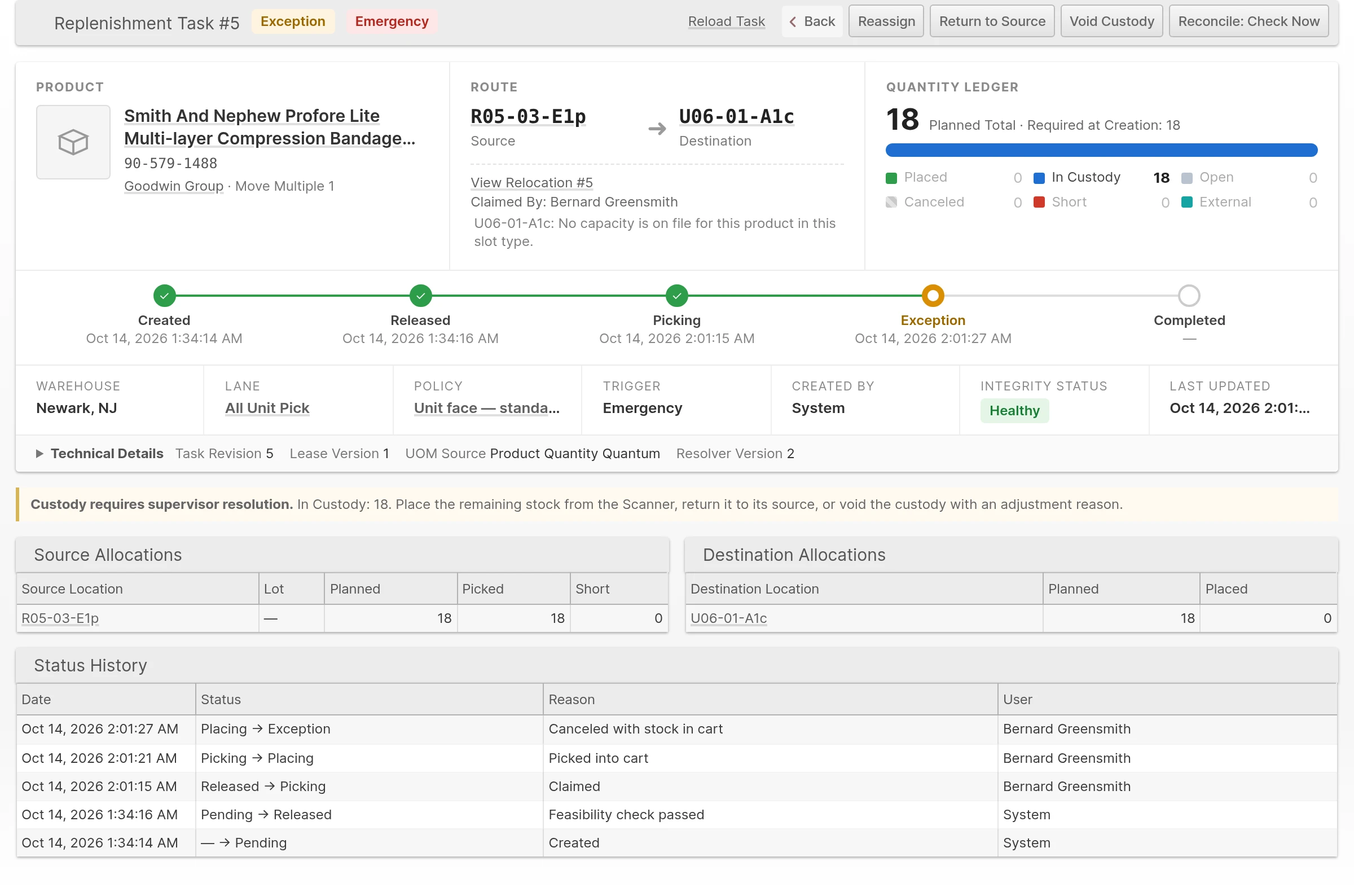
Both actions work on one remaining custody item at a time. You need Resolve Custody Exceptions.
| Action | Use it when | What it does |
|---|---|---|
| Return to Source | The stock can go back to its verified original source. | Moves the item back and asks for a reason. |
| Void Custody | You have checked that the stock can neither be returned nor placed. | Writes the stock off. It needs an active Adjustment Reason and separate Notes, which are recorded in the stock movement history. |
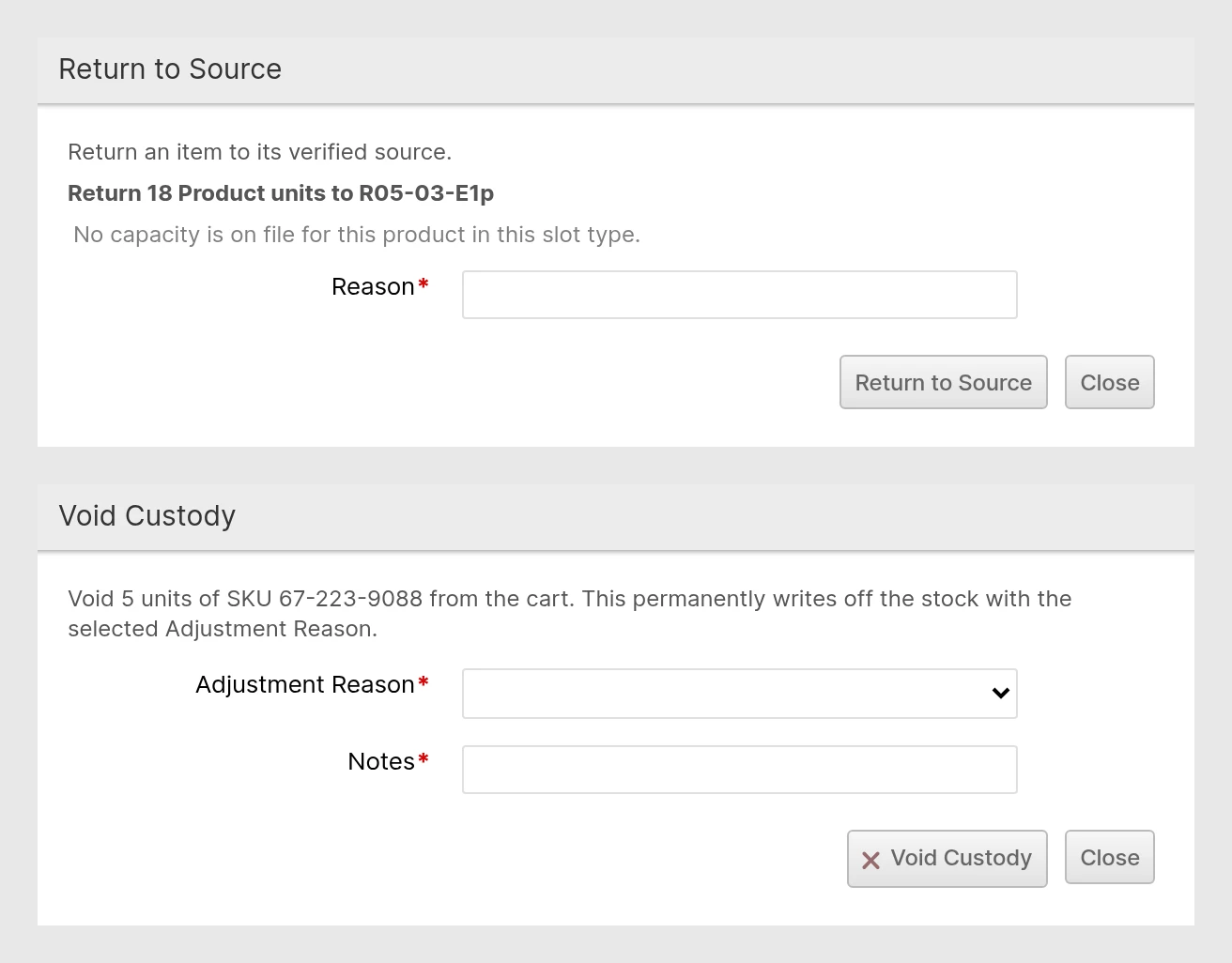
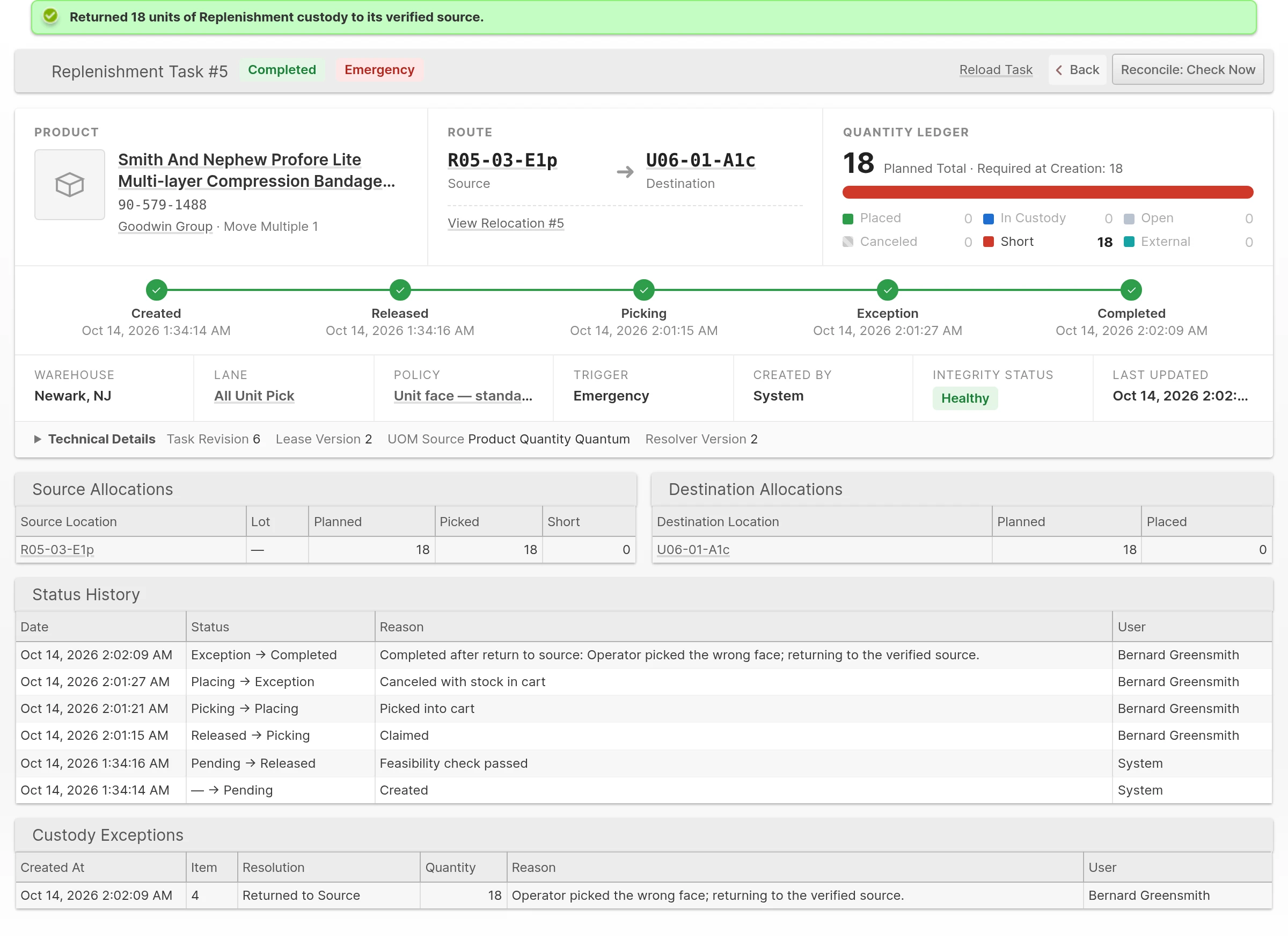
Returning only part of the cart keeps the Relocation's existing operator and work session, and records you as the person who returned the stock. A Return that empties the cart completes the Task, and the Task's Custody Exceptions table keeps the history. The returned units count as Short in the ledger.
Recovering a Blocked Task
A Task becomes Blocked when its quantity ledger no longer agrees with current inventory and Relocation records. You need Recover Task Integrity, which is separate from Resolve Custody Exceptions and is not added to existing Roles automatically. Grant it only to supervisors who investigate inventory discrepancies.
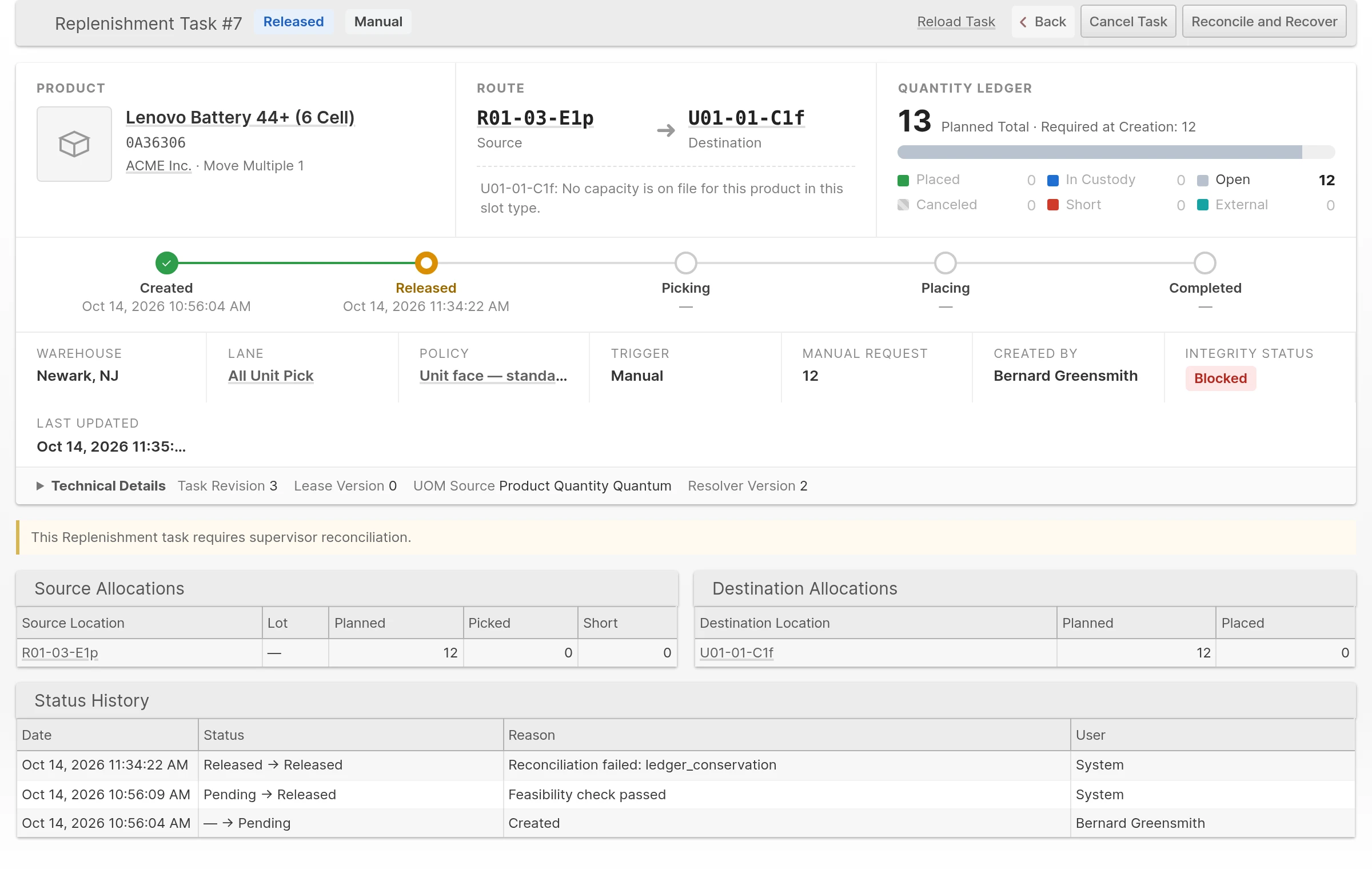
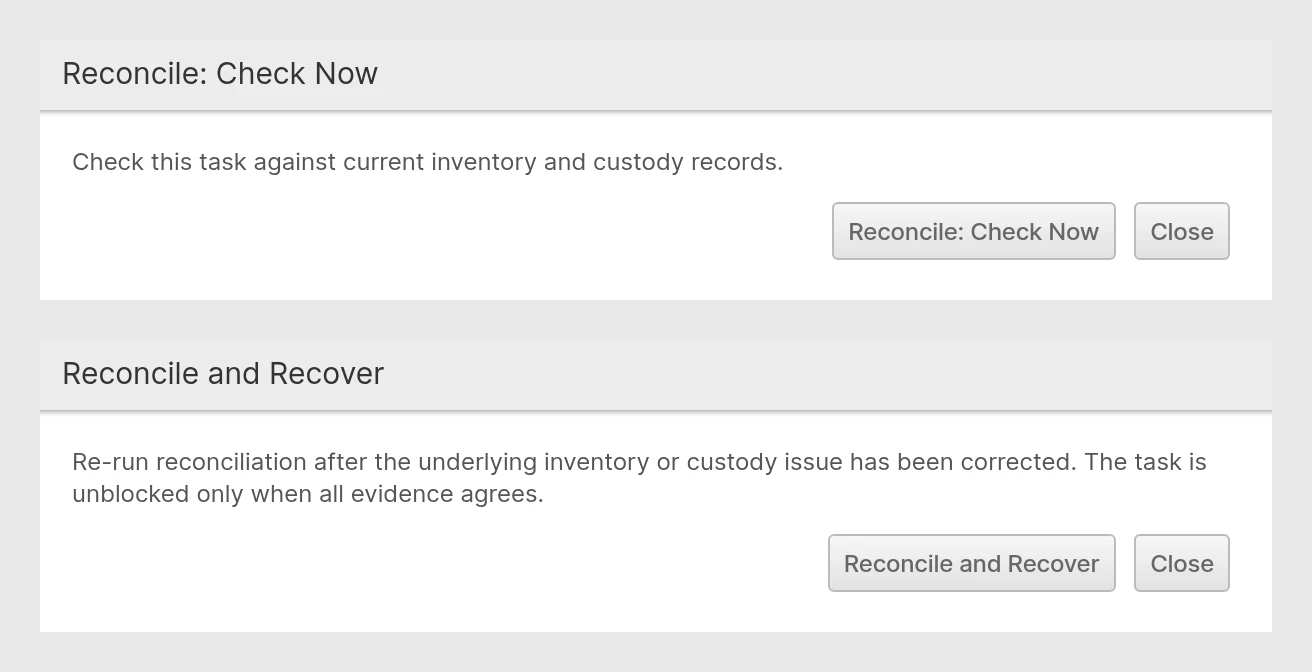
- Open the Task and click Reconcile: Check Now. ShipStream compares the Task with current ledger, inventory and Relocation evidence. If it does not pass, the Task is marked Blocked.
- Review the mismatch the Task reports. For a quantity mismatch it shows Expected, On Shelf, and Difference. Correct the underlying discrepancy first, for example by counting the Location through Cycle Count.
Click Reconcile and Recover. The Task is unblocked only when all the evidence agrees.
Recovery never adjusts inventory and never dismisses an unresolved mismatch.
Receipts. Receiving can finish even when its quantity cannot be credited to a Replenishment Task. The receipt is kept separately, and Reconcile and Recover then credits the saved receipts against the original Task's remaining unpicked work and checks the ledger and custody again. It does not move inventory or change stock in the cart, and repeating it never credits the same receipt twice. Missing or inconsistent receipt evidence keeps the Task blocked. Recovery processes up to 100 saved receipts at a time, so run it again if more remain.
Custody left behind. An Exception whose custody has been fully drained completes with the reason Completed after reconciliation, and its empty Relocation is closed.
Canceling instead. A supervisor can cancel blocked work that has no physical custody once the cancellation checks confirm it is safe. The integrity finding and history stay on record, and replacement work is planned normally. Blocked custody must be investigated before any movement or custody resolution.
Source Shortages and Counts
When the expected inventory is not at a pick Location, an operator uses Report Source Shortage in Picking. ShipStream removes the Shipment from the Batch, records the remaining pick quantity, and opens a count request for that Location. When possible it places its own shortage hold, and it never relabels or releases an unrelated hold. Ordinary Remove From Batch does not create a shortage signal.
Count the Location through the normal Cycle Count workflow:
- A count with no variance completes the request and releases only its own shortage hold, even when Require Cycle Count Validation is on. It proves the shortage report wrong, so no shortage-driven Emergency Task follows. Ordinary order demand remains.
- A real variance that needs validation keeps the request and its hold active until the count is approved.
- Mixed count groups complete their no-variance rows independently while variance rows wait for approval.
- If reservations prevent a lower count, the refusal names the Location, shows the lowest quantity currently accepted, and counts the reservations, with a sample of the Packing Slips or Work Orders you can access. A count followed by + is a lower bound. Record numbers outside your access stay hidden; ask a supervisor with access to use Revert Shipment where eligible, cancel the order, or resolve the Work Order reservations, then count again. Reverting affects the whole shipment and preserves order demand; canceling the order removes that demand. Nothing is reverted or canceled automatically.
- Enter only the quantity physically counted. Entering the system quantity for an empty Location closes the shortage without correcting the stock.
An Emergency need is worked out after the count completes, from the demand that is still uncovered, rather than being dispatched straight from the report. Partial reallocation reduces the shortage only by the quantity actually reassigned. A shortage hold stays in place until the count is completed: ordinary Relocation and manual hold release cannot bypass it. A change to a Product's quantity Bill of Materials is refused if it would make an unresolved shortage quantity impossible to represent in the new units.