

Version 2025.1.1
Receiving Services
You can now track and manage value-added services performed during the receiving process with our flexible and intuitive Receiving Services system. This functionality allows warehouse staff to quickly quantify the additional services they provided while processing an ASN or RMA for the purposes of billing, enhanced reporting, and providing transparency to your customers.
The new Receiving Services feature provides:
- A dedicated product type for defining receiving services that can be applied at either the delivery or container level
- Flexible configuration options to control which services apply to specific delivery types, shipment types, and merchants
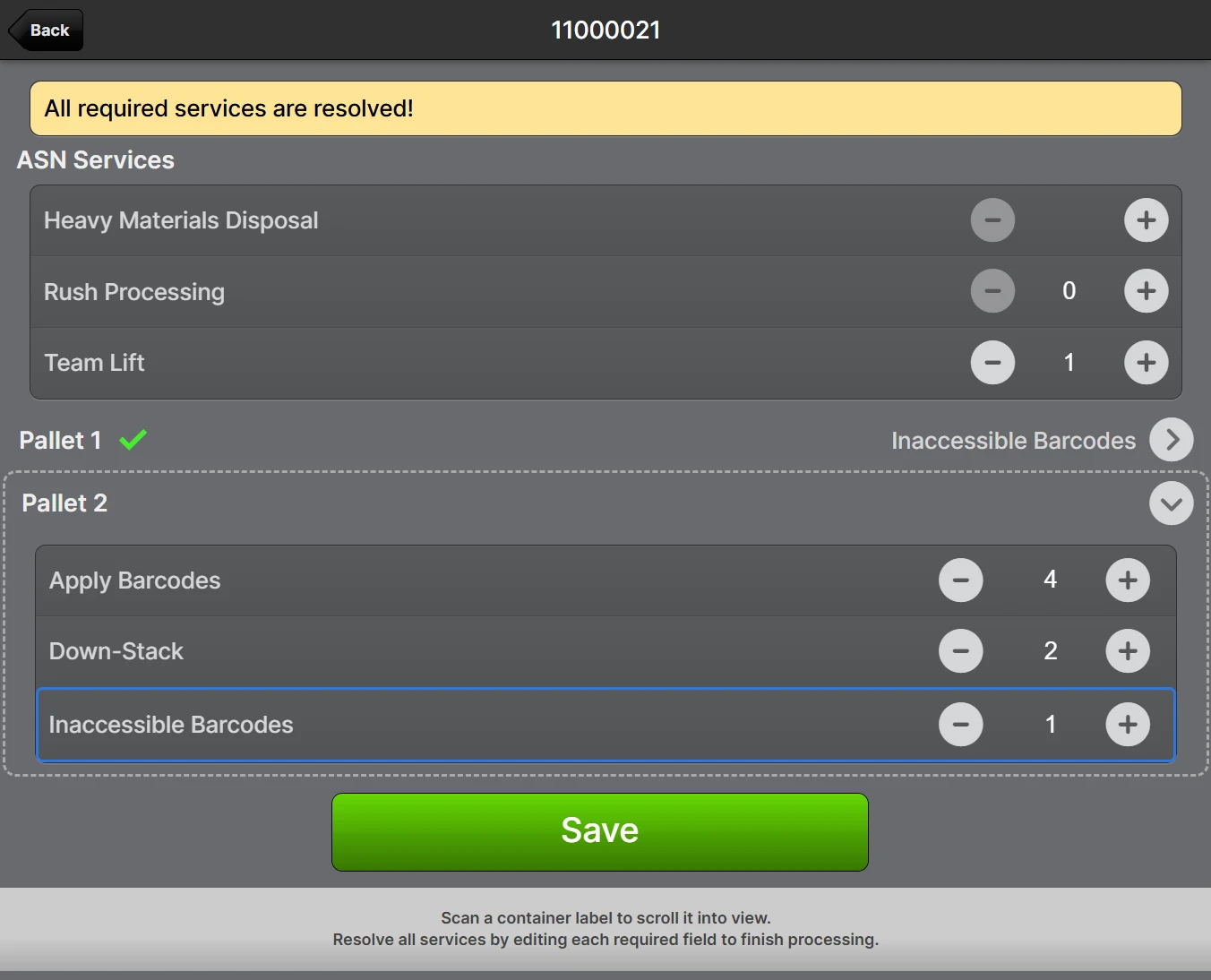
- Intuitive UI for warehouse staff to record any services applied during processing
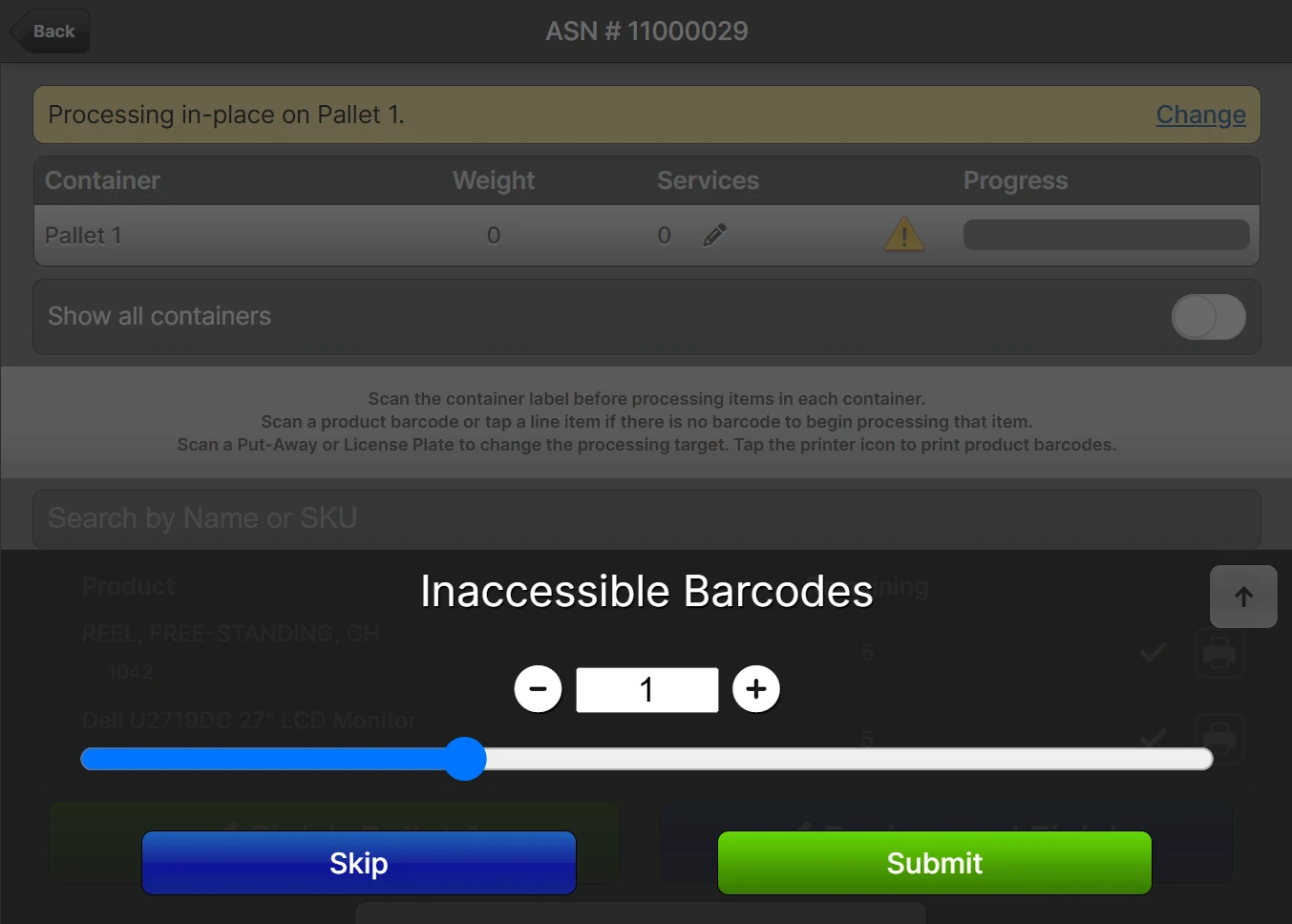
- Auto-prompt feature to request user input when starting processing
- Make user input either required or optional for each service
- Comprehensive tracking of service history with a full audit trail
- Ability to add services after delivery processing is complete
Example interface to record services performed:
Example of an auto-prompt:
Operational Benefits
- Better documentation of value-added work performed during receiving
- Improved visibility into service frequency and volume across deliveries
- Enhanced ability to analyze service patterns by merchant, delivery type, or container type
- Streamlined process for recording services during your normal workflow
- Consistent tracking of services that previously may have been noted inconsistently or not at all
What's Changed
The system now provides:
- Ability to add or modify services directly from the Receiving > Services menu (Admin users only)
- A Services tab on the delivery page showing all applied services
- Export capabilities for captured data in CSV and Excel formats
- Integration of the service history into the existing delivery History tab
Potential Workflow Impacts
- Processing staff may be prompted to record services at the start of processing or when finishing containers
- Required services must be resolved before completing processing
Applicable Quantity
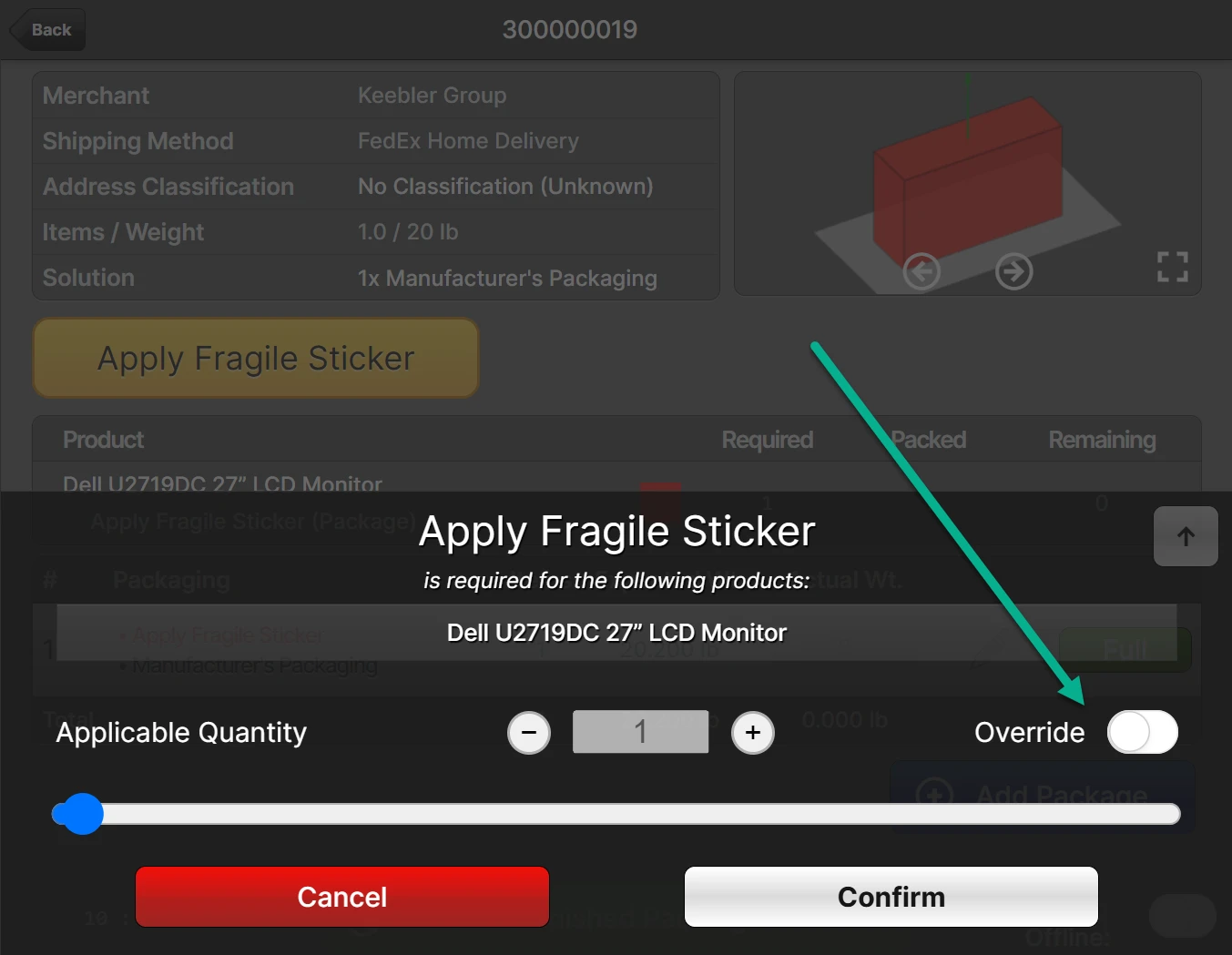
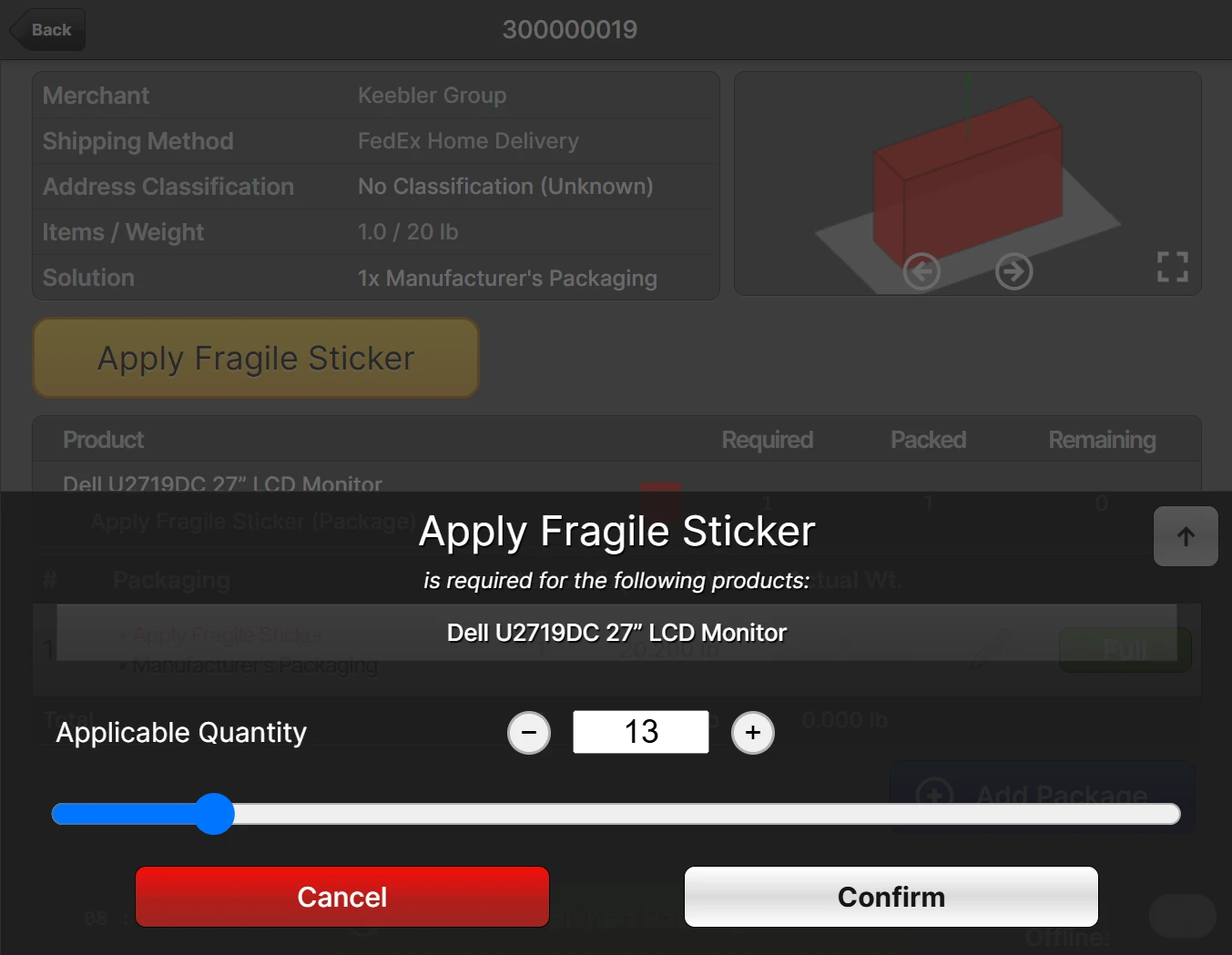
ShipStream's Packaging Features system has received a significant update which provides more sophisticated control over the way Packaging Features are applied during packing while also being more intuitive to configure than the previous version. This update allows you to control the way a user interacts with the Packaging Features independently from the quantity that is recorded in the shipment data for each feature. Notably, you can now require that the "Applicable Quantity" is either calculated automatically (as before) or user-specified and whether it can be overridden by a user.
Examples:
- Record how many feet of packaging material was used or other variables that are impossible to predict accurately
- Note special materials consumed while constructing pallets such as reinforced corners, banding, slip sheets, etc.
- Track man-hours of labor spent on assembly without leaving ShipStream
Example of a prompt with Applicable Quantity Override: Yes:
Example of a prompt with Applicable Quantity: User-Specified:
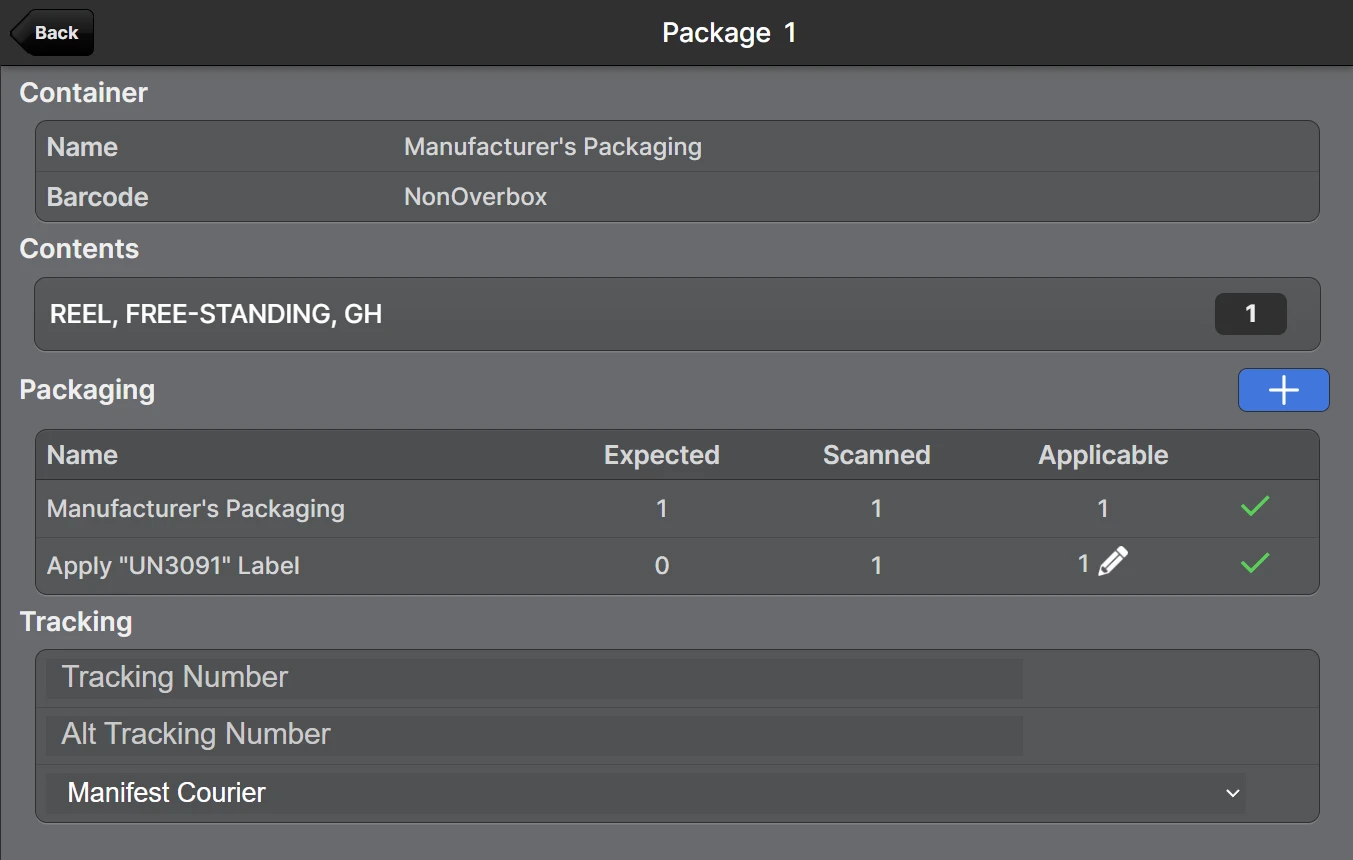
Example of the new Edit Package page:
Operational Benefits
- Improved setup and management of Packaging Features, conflicting combinations of attributes are no longer displayed or allowed
- Capture value-added work with greater flexibility
- Streamlined process for recording value-added services during your normal workflow with the ability to ensure they cannot be accidentally skipped
- Consistent tracking of services that previously may have been noted inconsistently or not at all
What's Changed
- Two new Packaging Feature attributes for Supplies and Instructions: Applicable Quantity and Applicable Quantity Override
- The Require Confirmation Per Item product attribute was removed
- The BFO pick sheet and Scanner UI start page now show Applicable Quantity instead of One Scan Per
Potential Workflow Impacts
- As the meaning of some options was changed to improve the consistency of the user experience, there may be some differences in how your Supplies and Instructions behave.
Auto-Prompt Timing and Frequency
Related to the new Applicable Quantity feature described below, we've done some major house-keeping with the Packaging Features. The attributes for Supplies and Instructions are now much more intuitive, and we've disabled any combinations of options that don't make sense.
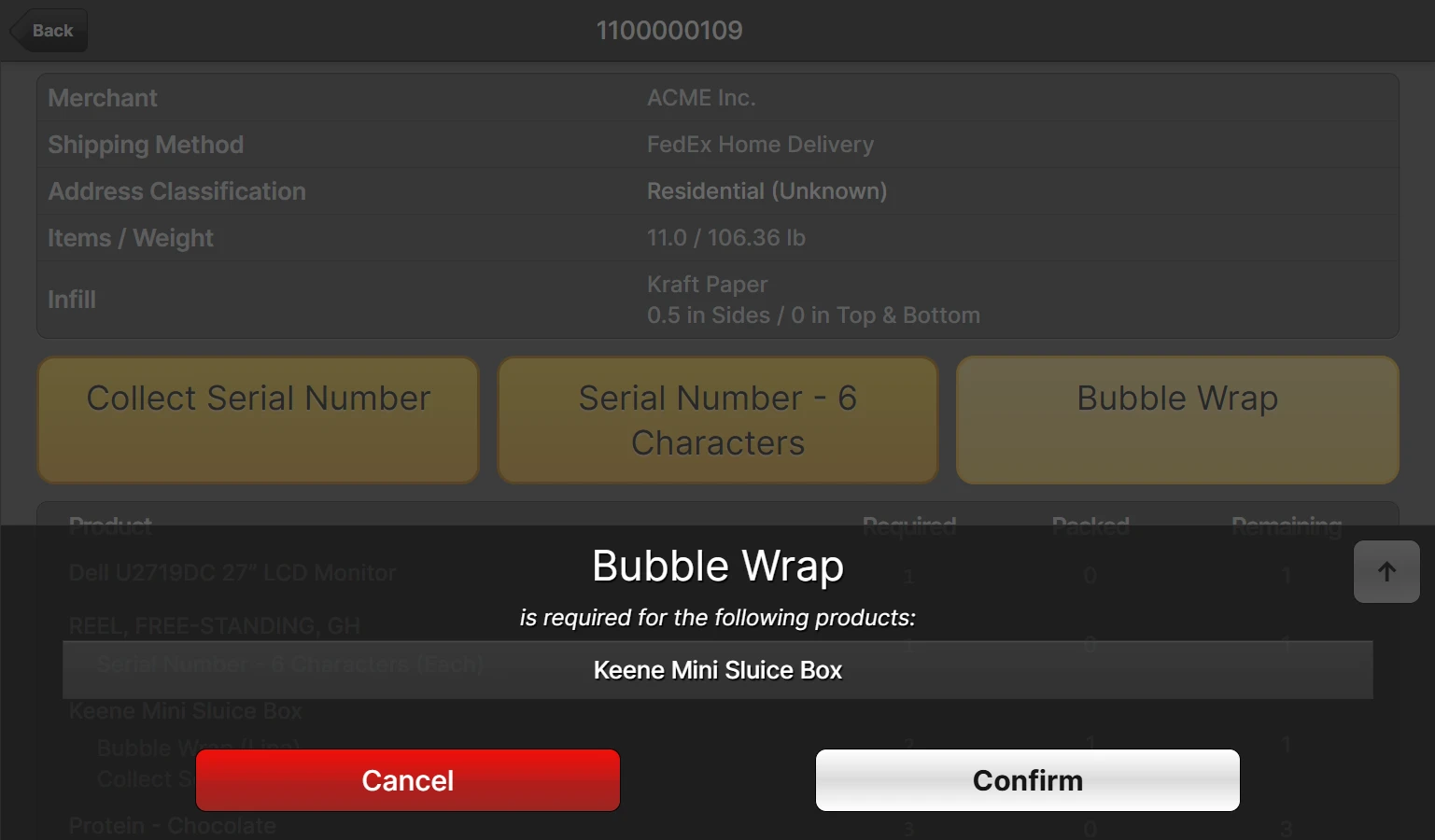
An "Auto-Prompt" is the popup that appears during the packing process which gets the user's attention and asks to confirm a specific Packaging Feature. This itself is not a new feature, but quite a few changes were made to improve the existing feature, and the attribute names were updated.
Example of a basic auto prompt:
What's Changed
- Renamed "Require Scan Timing" to "Auto-Prompt Timing" because it determines when an auto prompt will occur (also, prompts do not always require a barcode scan to confirm).
- Renamed "One Scan Per" to "Auto-Prompt Frequency" because it determines how often an auto prompt will occur.
- Added two new options for Auto-Prompt Timing (previously Require Scan Timing):
- On Finished (after all packages have been marked full, and the user taps "Finished Packing"
- None (no prompts will appear)
- Added two new options for Auto-Prompt Frequency (previously One Scan Per):
- One Per Shipment (just once for every shipment regardless of the number of packages/items)
- One Per Each (the number of prompts will be the same as the number of product barcode scans)
Auto-Prompt Timing: On Finished
If you need to wait until the last package of a multi-package (or multi-pallet) shipment is completely ready to go before applying a Packaging Feature, then this option will allow you to do just that.
Auto-Prompt Timing: None
This feature allows you to tack on packaging features without requiring any action from the packer. Alternatively, by choosing the combination of Auto-Prompt Timing: None and Applicable Quantity: User-Specified, the packer can scan the packaging feature barcode zero or more times to add it to the package data without touching the screen.