

Version 2025.6-2
Separate Grids by Shipment Type
To better accomodate operational specialization for Parcel and Freight teams, you can now access separate pre-filtered grids for each type in both the Admin UI and the Client UI.
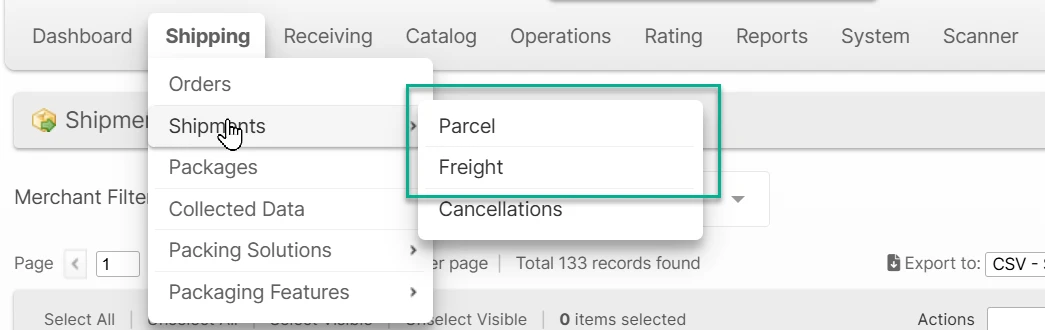
Additionally, the Shipment Custom Fields can be customized separately for each shipment type, allowing you to create more fields without cluttering up the data for irrelevant shipments.
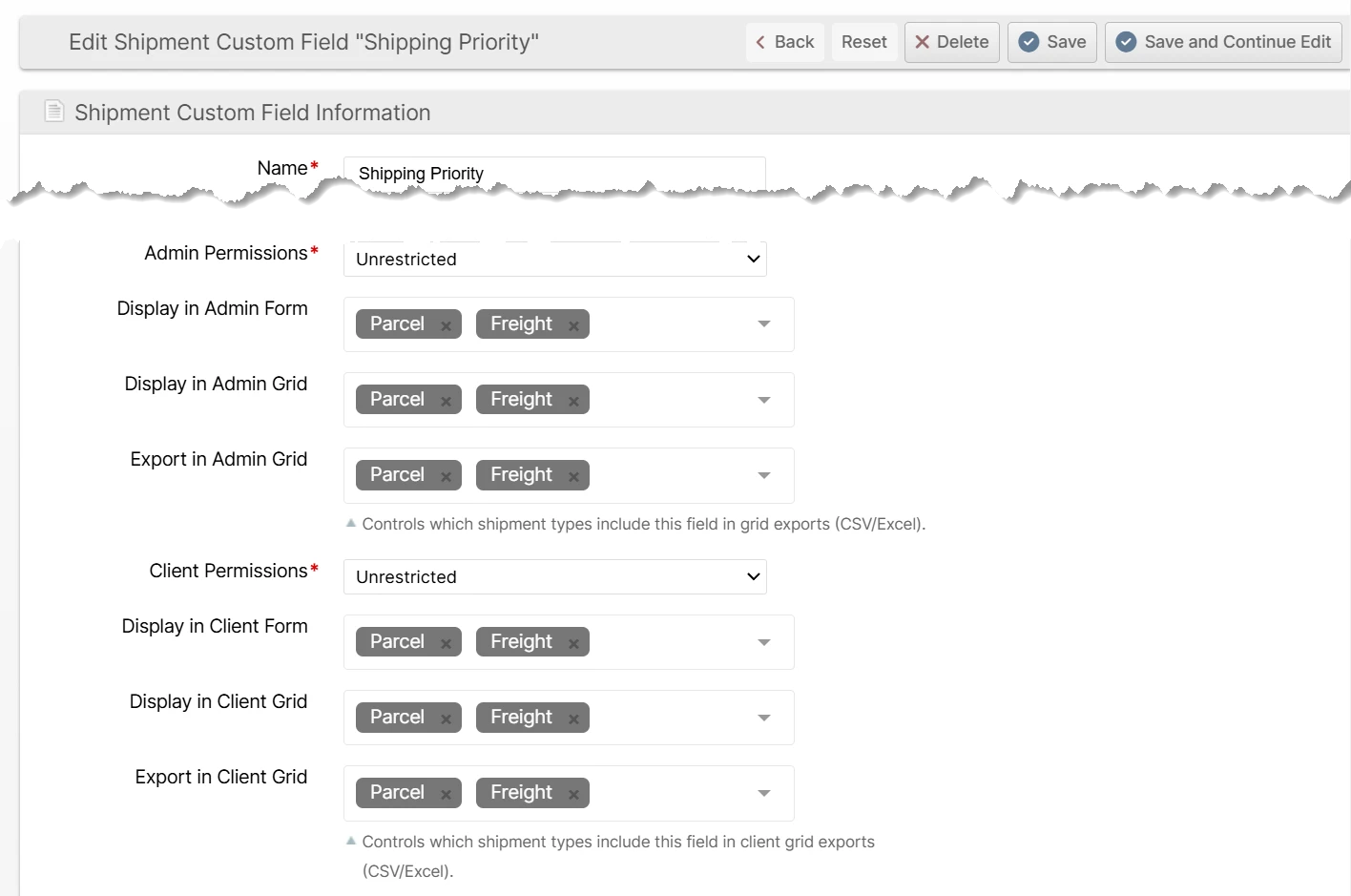
Updated fields:
- Display in Admin Form
- Display in Admin Grid
- Export in Admin Grid
- Display in Client Form
- Display in Client Grid
- Export in Client Grid
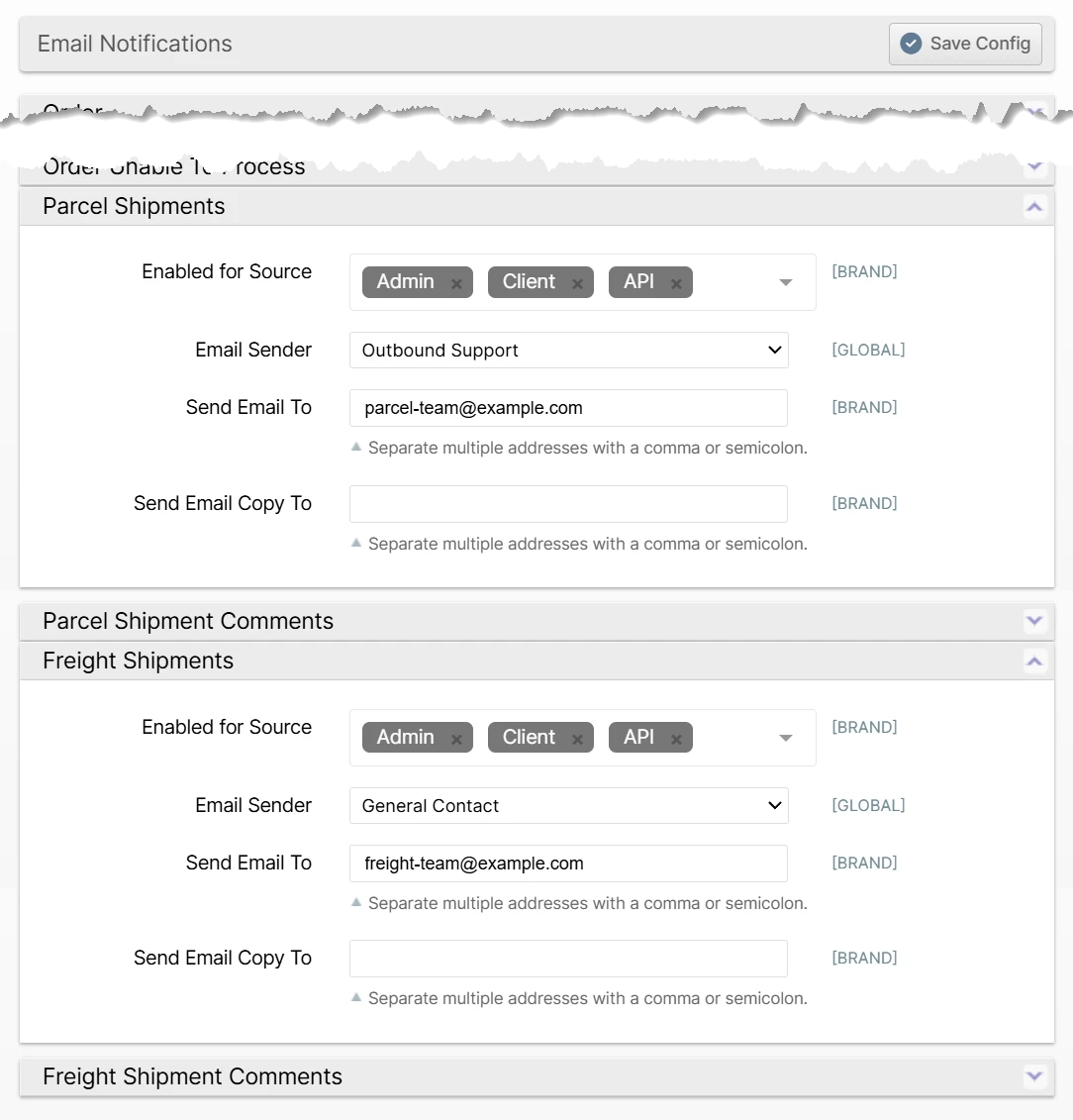
Email Notifications by Shipment Type
You can now configure your New Shipment and Shipment Comment email notifications separately for Parcel and Freight shipments which can be useful if you have separate responsible parties for each.
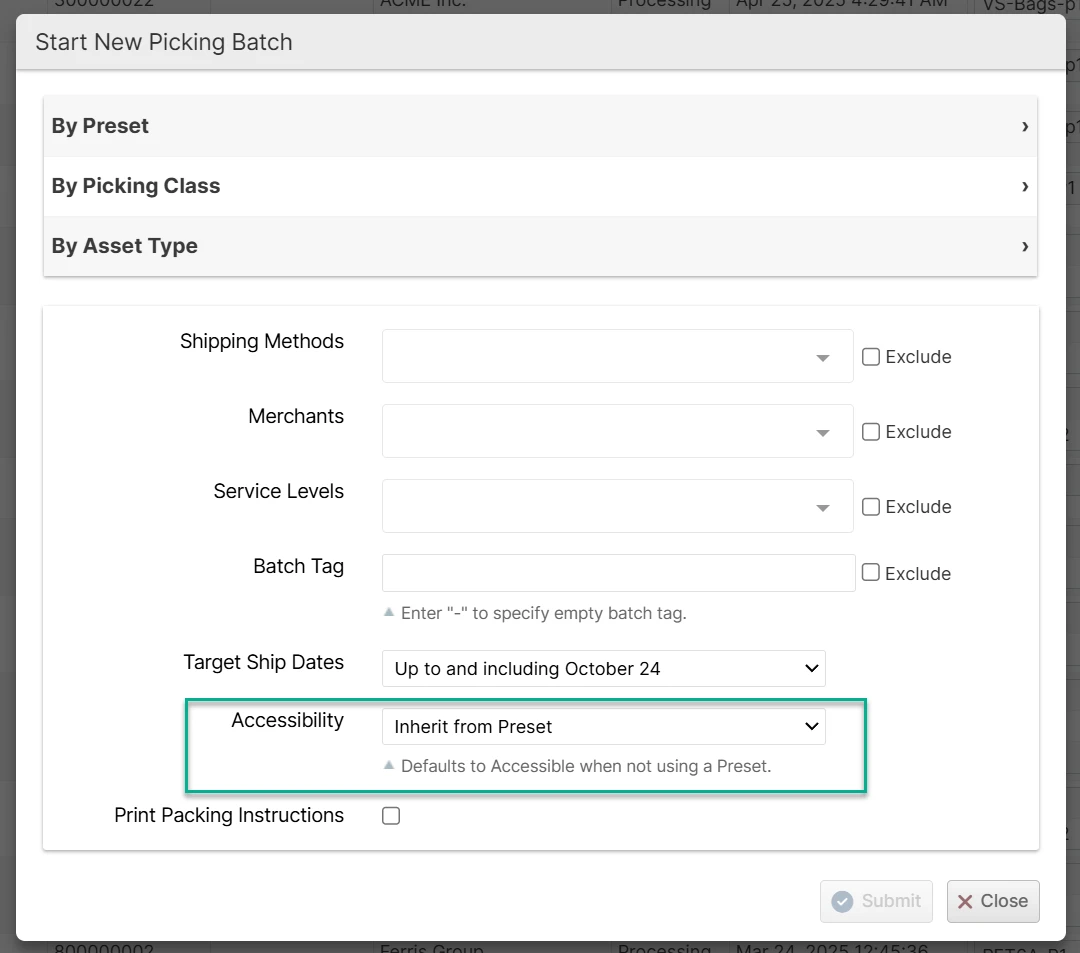
Accessibility Default Selection - Inherit from Preset
The behavior has not changed from when the default was a "blank" option, but now with the new label and the note below, the functionality of the Accessibility selection should help avoid confusion.
Other Improvements
- Fixed BFO Group By: Carrier option to use the shipment shipping method instead of the order shipping method for correctness when used with virtual shipping methods.
- Increased max packages shown per shipment on the View Shipment page from 50 to 100.
- Fixed a bug preventing a client user from creating an order when their initial Brand has been deactivated and they have one other active Brand.
- Fixed a bug preventing processing of shipments after a new brand was added.
- Fixed Shopify plugin not capturing the "noitify customer" flag for fulfillment requests.
- Various fixes and improvements to Velocity features and auto-indexing functionality.
- Major updates to UI for capturing photos in the Scanner UI to avoid complex glitches, particularly on slow connections.
API Changes
- Added
inventory.detailed_packagingMerchant API endpoint to retrieve inventory levels for merchant-owned packaging. - Updated
shipment_custom_field.listMerchant API endpoint to remove binary display fields and add multi-option display fields and export fields.
Not ready for release below here...
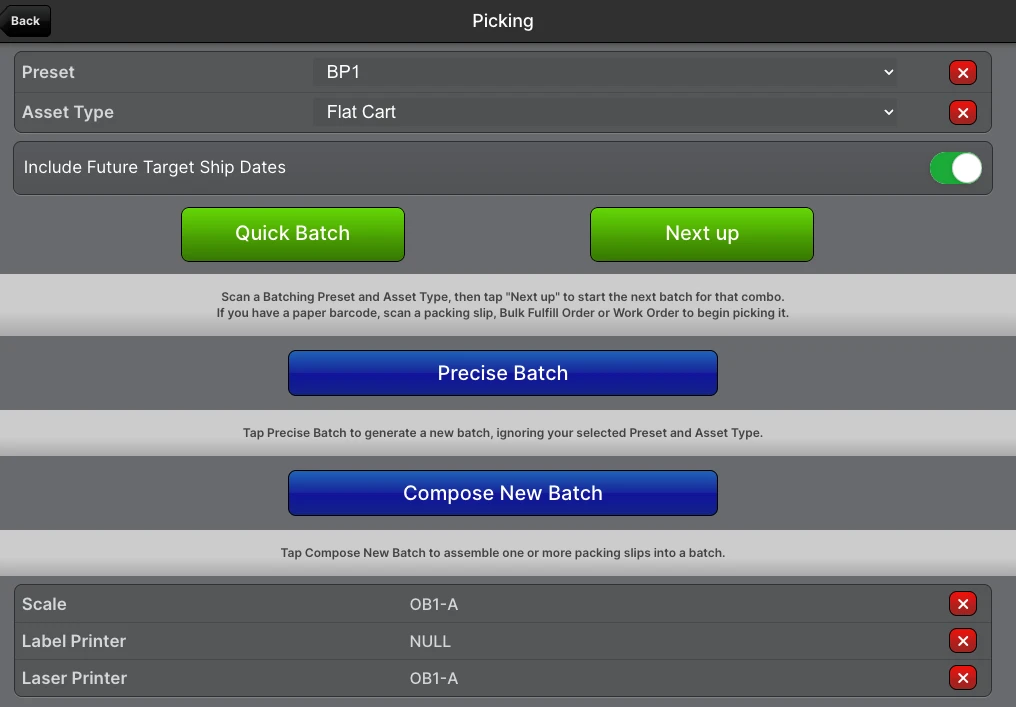
Improved Create Batch from Scanner UI
> I want to be able to scan an identifier at a batching location to indicate to the scanner which preset to use
To accomodate this while also allowing the old workflows, we made quite a few changes to the Picking main page and Create New Batch route.
- Scan a Batching Preset barcode to be saved in a cookie
- Scan an Asset Type barcode to be saved in a cookie
- Add a Quick Batch feature which allows the most common batch workflows using the scanned Preset and Asset Type combination
- Add a Next Up button which selects the next either pre-assigned Batch, BFO or Work Order or creates a new batch. This concept of "assignment" existed before but is now slightly less half-baked and will allow a workflow of a manager delegating batches to individual users and users easily picking up those batches. In the future when there is no paper to hand to a user, this will be the only real alternative so we had already planned for some of this redesign in the paperless picking task.
- Add a Precise Batch button which ignores the scanned Preset and Asset Type and allows any path of drill-down among Picking Class, Preset, Asset Type, Merchant, Carrier.
Asset Policies for Bulk Picking
Add a new "Operation" type to Asset Policies called "Bulk Fulfill".
Add a new "Filter By" to the Create Bulk Fulfill Order page for Asset Type and Asset Policy. This limits the selection of shipments to those that abide by the selection.
Accessibility: Only Inaccessible
The new option for the Batch Preset's Accessibility field called Only Inaccessible allows you to easily create a batch of shipments which cannot otherwise be picked from accessible locations. This helps prevent a situation where your pickers are taking specialized equipment into pickable zones when those shipments could have just been picked with normal equipment.